
Dynamics 365 Customer Engagement
Microsoft Dynamics 365 SalesMake the next sales conversation count.
Give your sales team a shared view of customers, opportunities and the next action. Dynamics 365 Sales brings CRM records, pipeline management and sales automation into a connected working environment.

A few organizations we've worked with

















Features & benefits
Keep your sales work connected.
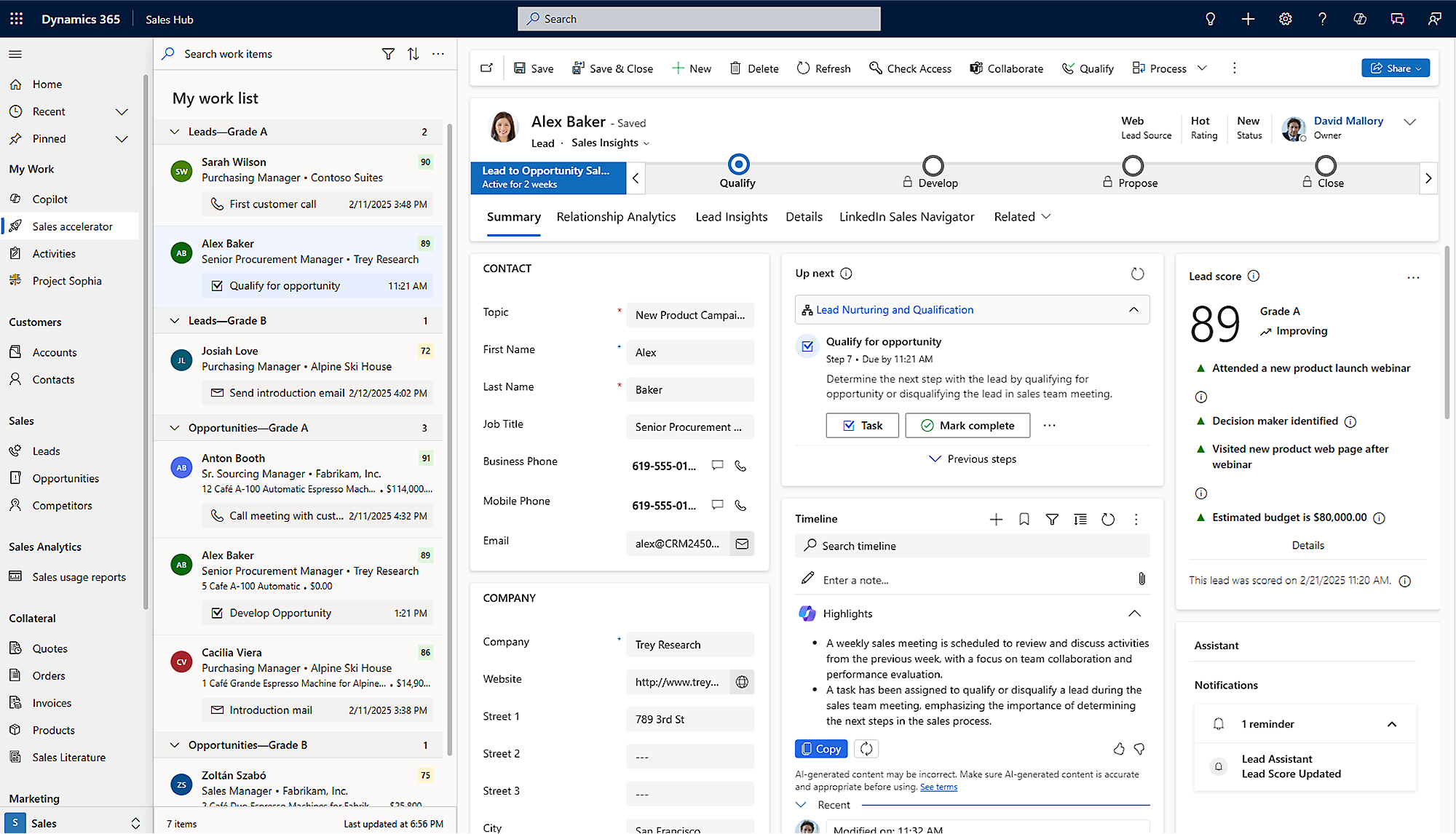
Dynamics 365 Sales is Microsoft’s CRM application for managing accounts, contacts, leads and opportunities. It helps sellers organise their work and gives sales leaders a clearer view of the pipeline.
Microsoft Dynamics 365 Sales
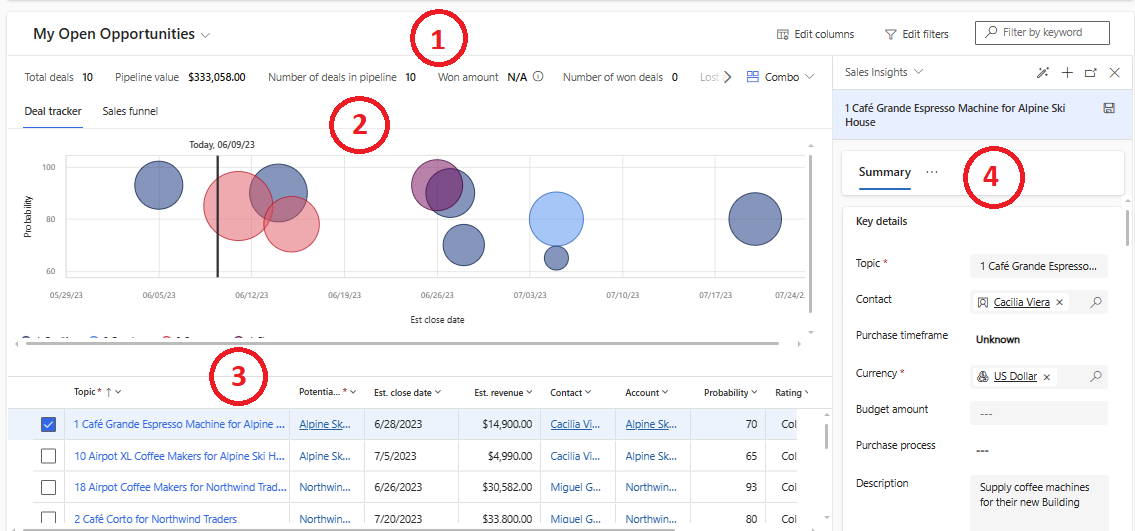
Pipeline and forecasting
Review opportunities, forecasts and performance through product views and reporting.
Discuss the pipeline using a common set of records.
Feature details
- Review opportunity values and expected close dates.
- Use shared records in pipeline and forecast discussions.
 Enlarge screenshot
Microsoft Dynamics 365 Sales
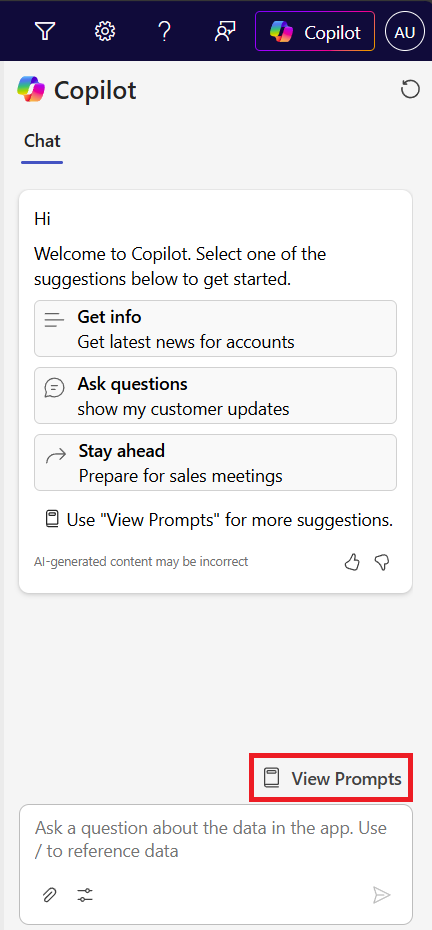
Copilot assistance
Use supported summaries and drafting tools with people reviewing the output.
Spend less time assembling context before acting.
Feature details
- Review summaries against the underlying customer records.
- Check licence, availability and data access before rollout.
 Enlarge screenshot

From features to everyday work
Turn shared customer information into a next action.
When customer knowledge lives in individual inboxes and forecasts depend on separate spreadsheets, even a strong sales team can lose continuity. Start with one opportunity: who owns it, what has happened and what should happen next?
Accounts and contacts
Keep customer organisations, people and relationship activity connected.
Help the next person start with context.
Leads and opportunities
Track qualification, sales stages, activities and potential business.
Make ownership and progression easier to follow.
Sales process automation
Use configured processes and sales engagement capabilities to guide recurring work.
Support consistent follow-up across the team.
Microsoft 365 collaboration
Bring relevant CRM information into supported Outlook and Teams experiences.
Reduce the distance between communication and CRM.
A closer look
More ways to make it useful.
Explore the capabilities behind the screens, including where data and configuration matter.
Products, price lists and quotes
Create product-based quotes and manage price lists in the sales process. Agree how quotes, orders and finance records connect with your existing business systems.
Sales engagement and scoring
Sequences, lead and opportunity scoring, forecasting and conversation intelligence can support prioritisation and follow-up. Availability and capacity depend on the Sales edition and configuration.
Sales capabilities vary by edition. Advanced forecasting, scoring, sales engagement and AI features may require specific licences, capacity and configuration.
Take it further.
Explore the related solutions and services that support this work.
Sales CRM
Explore the sales processes, configuration and adoption behind a useful CRM.
Related solutions
Sales process automation
Look at where recurring work and follow-up can be made more consistent.
Related solutions
AI-powered CRM
Explore practical uses of AI within the customer relationship.
Related solutionsQuestions & next steps.
How Nemely can help
Before you start
- Agree the sales stages and information each stage needs.
- Decide which customer data should move into CRM.
- Confirm the required edition, integrations and AI capabilities.
Product questions
Is Dynamics 365 Sales the same as a complete ERP system?
No. It focuses on customer relationships and sales processes. Finance, inventory and other operational processes can remain in separate systems, connected where needed.
Can it work with Outlook and Microsoft Teams?
Yes, supported Microsoft 365 experiences connect sales work with communication. The exact setup depends on your licences, applications and configuration.
How would we start with Nemely?
Bring a representative sales process and the main problems you want to solve. We can discuss requirements, implementation, integration and user adoption before agreeing a project scope.