
Dynamics 365 Customer Engagement
Microsoft Dynamics 365 Customer ServiceGive every case a clear way forward.
Help your service team keep track of customer issues, find useful knowledge and work toward resolution. Dynamics 365 Customer Service connects case management, service processes and productivity tools.

A few organizations we've worked with






















Features & benefits
Support the case from request to resolution.
Dynamics 365 Customer Service is a customer support application for managing cases, knowledge and service commitments. It provides a working environment for representatives and visibility for service leaders.
Microsoft Dynamics 365 Customer Service
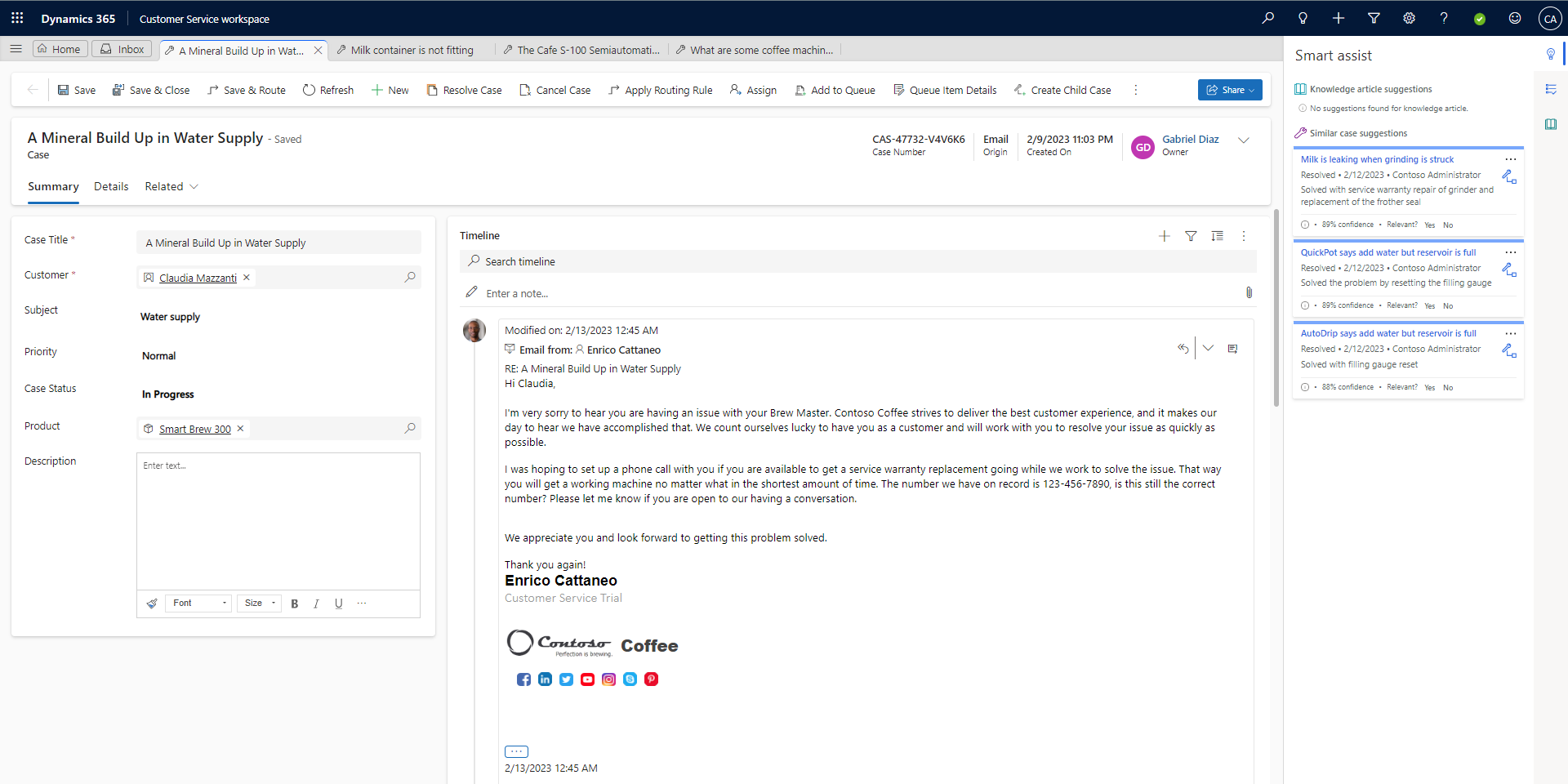
Case management
Track issues, related interactions, ownership and resolution activity.
Give each customer issue a clear record.
Feature details
- See assigned cases and their current status.
- Keep the next action connected with the customer record.
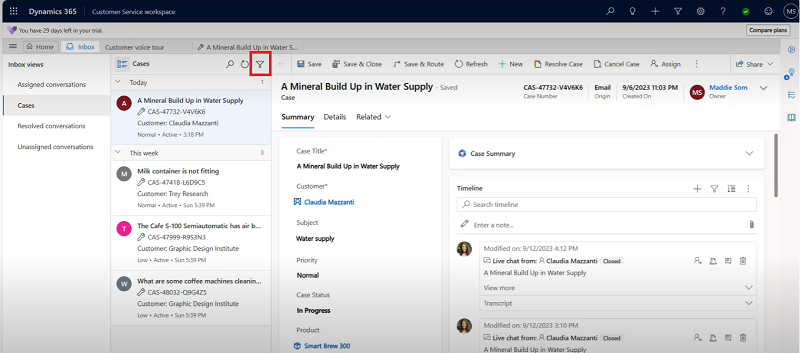 Enlarge screenshot
Microsoft Dynamics 365 Customer Service
Knowledge management
Create, find and share knowledge articles within the service experience.
Make useful answers easier to reuse.
Feature details
- Find relevant articles while working on a case.
- Maintain a reviewed knowledge base for consistent answers.
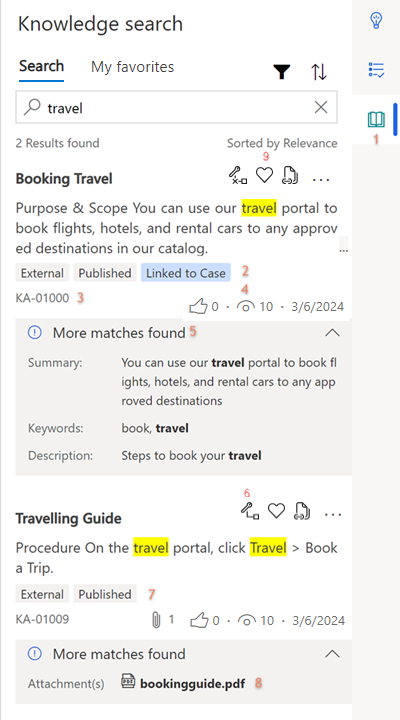 Enlarge screenshot

From features to everyday work
Give each request a clear path to resolution.
When an issue moves between people, the customer should not have to rebuild the story. A connected case record gives the team a place to preserve context, ownership and the next step.
Routing and queues
Direct work using the routing and queue capabilities configured for the team.
Connect incoming work with the appropriate people.
Service-level agreements
Define and track service-level commitments and entitlements.
Keep time-sensitive work visible.
Copilot and collaboration
Use supported case summaries, knowledge assistance and Teams collaboration.
Help representatives assemble the context they need.
Service reporting
Review workloads, service performance and productivity through reporting.
Identify where service processes need attention.
A closer look
More ways to make it useful.
Explore the capabilities behind the screens, including where data and configuration matter.
Turn incoming requests into cases
Configured record-creation rules can create cases from incoming email and supported activities. Agree ownership, routing and exception handling so requests reach the right team.
Scripts, macros and a shared workspace
Use configured scripts and macros to guide recurring steps. The multisession workspace helps representatives work on several cases while keeping the relevant context together.
Channel, routing and AI capabilities depend on the selected offering and configuration. Contact Center and related services should be evaluated separately where relevant.
Take it further.
Explore the related solutions and services that support this work.
Customer service solutions
Explore the processes and working environment behind customer support.
Related solutions
Self-Service and Customer Portals
Give customers another way to find information and request help.
Related solutions
User Adoption
Help the service team build confidence with its tools and ways of working.
Related solutionsQuestions & next steps.
How Nemely can help
Before you start
- Map the types of case your team handles.
- Agree ownership, queues, service levels and useful knowledge.
- Evaluate channel requirements alongside Customer Service licensing.
Product questions
How is Customer Service different from Contact Center?
Customer Service centres on cases, knowledge and service processes. Contact Center centres on voice and digital conversations, routing and contact-centre operations. They can be used together.
Can we manage service-level agreements?
Customer Service supports service-level agreements and entitlements. The rules and measures should reflect the commitments your organisation actually makes.
Can we keep existing business systems?
Integration can be scoped around the customer, order or operational information the service team needs. The systems and data flows must be assessed before a solution is agreed.