

























Nemely — CRM starts with us.

What are you looking for?

Browse all pages

Customer service

Give field teams the context to get the job done.

An appointment is only useful when the right person arrives prepared. Nemely implements Microsoft Dynamics 365 Field Service to connect dispatch, work orders and mobile technicians around the equipment and customers you support.

Field technician in an orange work jacket reviewing a tablet with a facilities manager
Dynamics 365 Field ServiceField Service mobile

A few organizations we've worked with

From a service requirement to work completed.

Give dispatchers a clear picture of demand, and technicians a reliable way to prepare, record the work and close the loop.

Dispatch and scheduling

See demand and availability together.

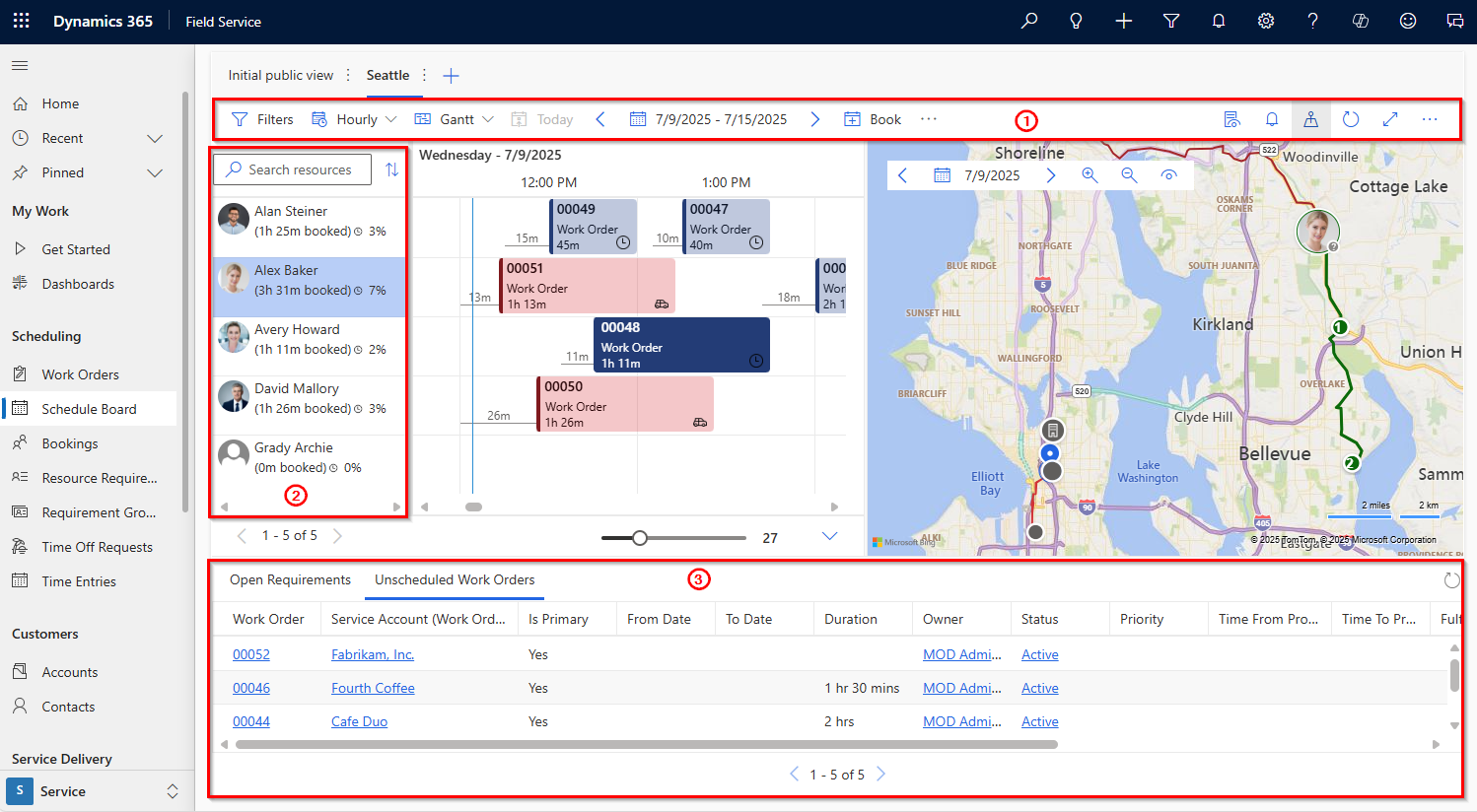
The Dynamics 365 Field Service schedule board brings resource availability, bookings and work requirements into a shared planning view. We help define the skills, territories, working hours and priorities behind scheduling, so the board reflects how your operation actually runs.

  • Clarify urgent work and appointment constraints.
  • Make rescheduling decisions visible to the people affected.
Scope your Field Service rollout
Microsoft Dynamics 365 Field Service schedule board showing resources, bookings, a map and open work orders

Microsoft’s annotated schedule board example. It shows planning views and open work requirements; the numbered callouts belong to the original documentation.

Microsoft Learn · schedule board

Mobile work orders

Useful information, where the work happens.

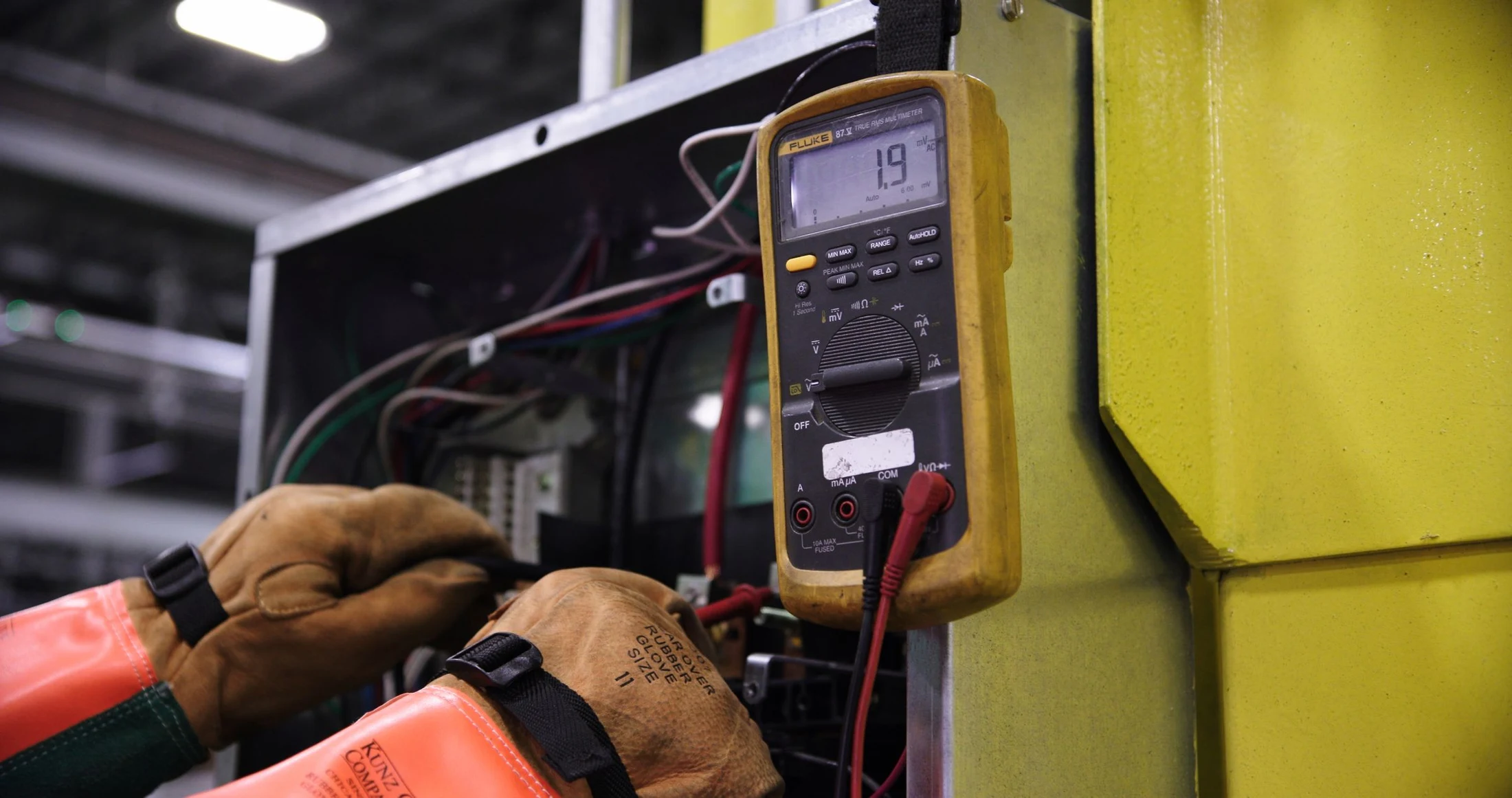
A mobile experience should help a technician prepare and record the visit without becoming another administrative task. We shape the work-order information, inspection steps and completion fields around your service work, including the data needed when a connection is unavailable.

  • Review asset history and the reported symptoms.
  • Record the work performed and materials used.
  • Flag a follow-up when the issue needs another visit.
Design your field implementation
Operations team checking a package with a scanner and tablet

From completion to follow-up

Turn the visit into useful service history.

The completed work order should help the next technician, the service desk and the people preparing the invoice. We agree which completion details matter, where they go and how unresolved work returns to an accountable owner.

Connect your operational systems
Two colleagues checking service information on a tablet at a table

How Nemely helps

Test the journey with dispatchers and technicians.

Field operations include travel, changing plans and incomplete information. We bring those conditions into the implementation from the start.

Pre-Study and Business CaseCRM ImplementationSupport

Define the work-order lifecycle

Map assets, service tasks, required resources and the status changes that trigger a handover to another team.

Try representative visits

Pilot scheduling and mobile working with realistic service jobs, including rescheduling, missing parts and poor connectivity.

Connect the completion record

Check downstream updates and train the people who review them. Use visit feedback to simplify the next release.

FAQs

Your questions, answered.

What can technicians do offline?

Field Service mobile supports configured offline working. The records, relationships and actions needed on a device must be selected and tested, including synchronisation after reconnecting. Connected AI features are a separate consideration and should not be assumed to work offline.

Does the schedule board automatically optimise every appointment?

The schedule board supports planning and assigning work. Automated optimisation is a separate capability with its own requirements. We clarify the scheduling approach, constraints and licensing before including it in your solution.

Can Field Service connect to our ERP?

Yes, subject to the interfaces available and the agreed data ownership. Typical design questions include who owns products and prices, how material usage is passed back, and what marks a work order as ready for billing.

What affects the cost and timeline of a Field Service rollout?

Work-order types, scheduling constraints, mobile and offline needs, asset data and ERP connections shape the scope. We agree the first group of technicians and dispatchers, required licensing and representative jobs to test. Device preparation, training and operational readiness are included in planning the launch.

How do we prepare for a Field Service demonstration?

Describe a typical job from customer request through scheduling, the site visit and completion. Include an exception such as a missing part or loss of connectivity. Involve a dispatcher and a technician so the discussion reflects both planning and work in the field.

Explore the Microsoft capabilities

Explore the Microsoft capabilities

Build for today. Keep a view of what comes next.

Microsoft is moving Dynamics 365, Power Platform and Dataverse updates to the AI at Work roadmap from September 2026. We use the current feature status when planning your solution, and evaluate previews separately before proposing them for production.

Explore Microsoft’s roadmap approach

Capabilities reviewed 8 September 2026. Licensing, configuration, language and regional availability vary by feature.

Your next step

Let’s make your next step concrete.

Walk Stefan through a typical service visit, from the first request to completion. We can identify where better preparation and connected information would help.

Contact us
Stefan Christiansson, CEO & Solutions Architect at Nemely, beside a blue-framed window with a city backdrop
Stefan ChristianssonCEO & Solutions Architect

Get resource