
Prepare with context
Find the account, relevant contacts and recent activity before the next conversation.
A Click partner product
Software by Click. Implemented and supported by Nemely.
Click CRM is customer relationship management software for growing sales teams, built on Microsoft Power Platform. Bring customers, contacts, opportunities and follow-up into one shared workspace. Nemely helps you configure the product and get your team working with it.
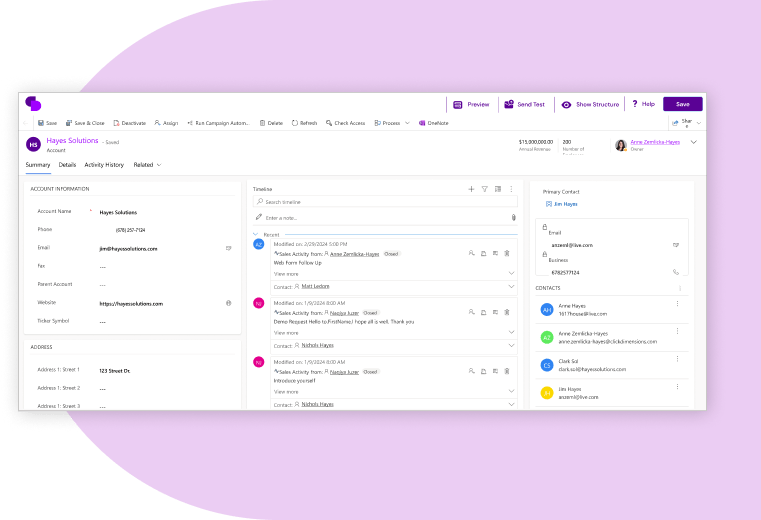 View full size
























Get to know the customer, prepare the next conversation and move the sale forward. Choose a view to explore Click CRM.
Customer relationships
 View full size
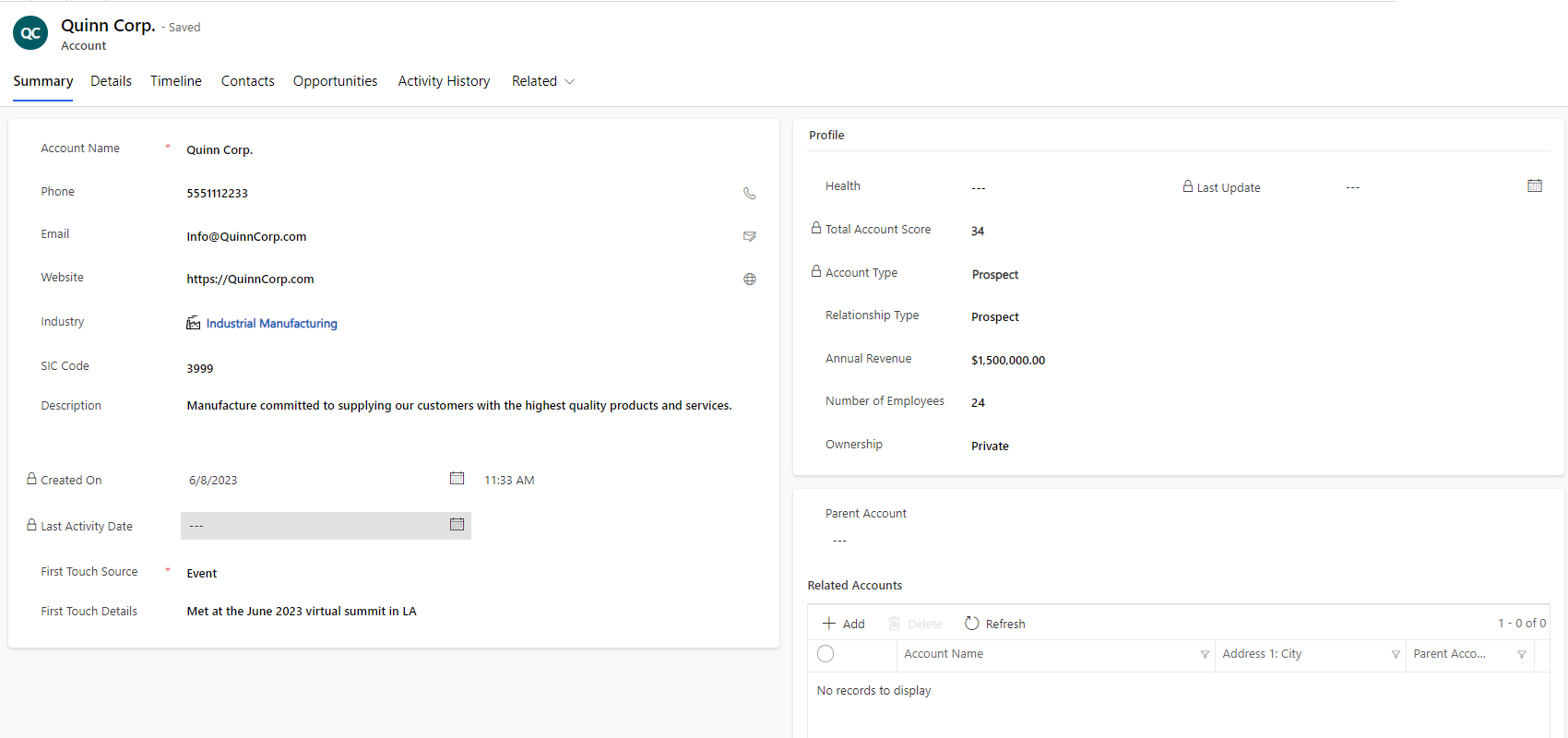
Open the account to see company details, relationship type and profile information together. Give everyone a shared record to use when preparing a conversation or picking up a colleague’s work.
The people behind the account
 View full size
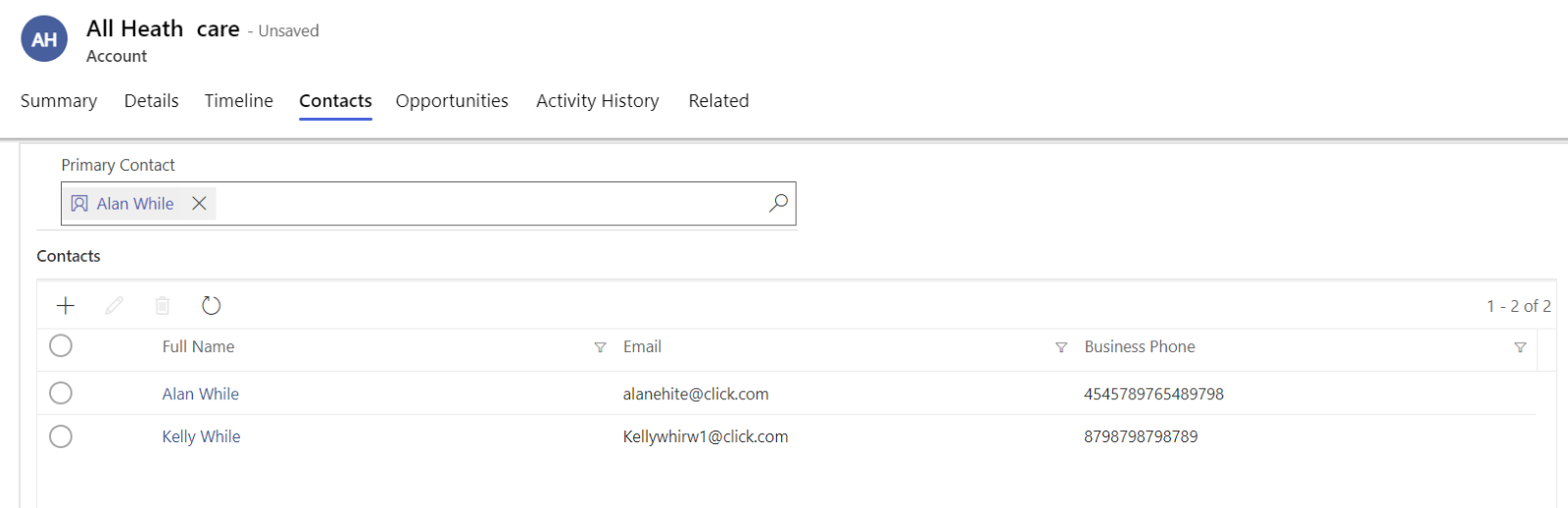
Find the contacts associated with the account and see who is marked as the primary contact. Keep the people involved close to the company record, so the next conversation starts with useful context.
Sales opportunities
 View full size
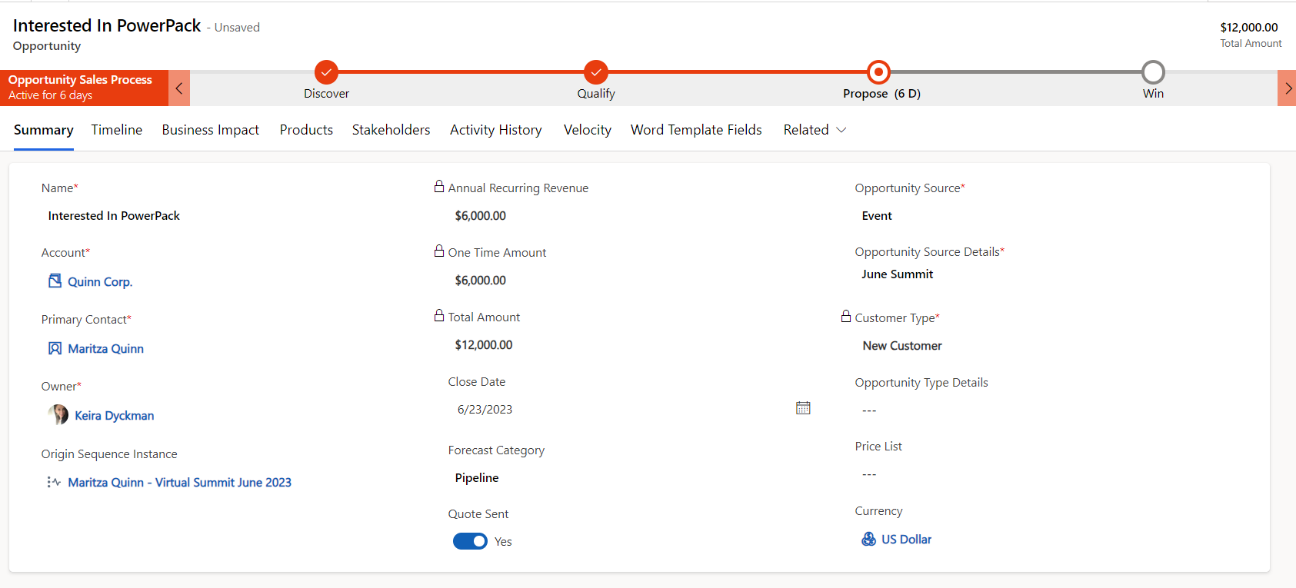
Bring the account, owner, estimated value and expected close date into one opportunity record. Follow the documented sales process through Discover, Qualify, Propose and Win.
Nemely helps you agree what each stage means for your team: the information to capture, the next action and what is needed to move forward.
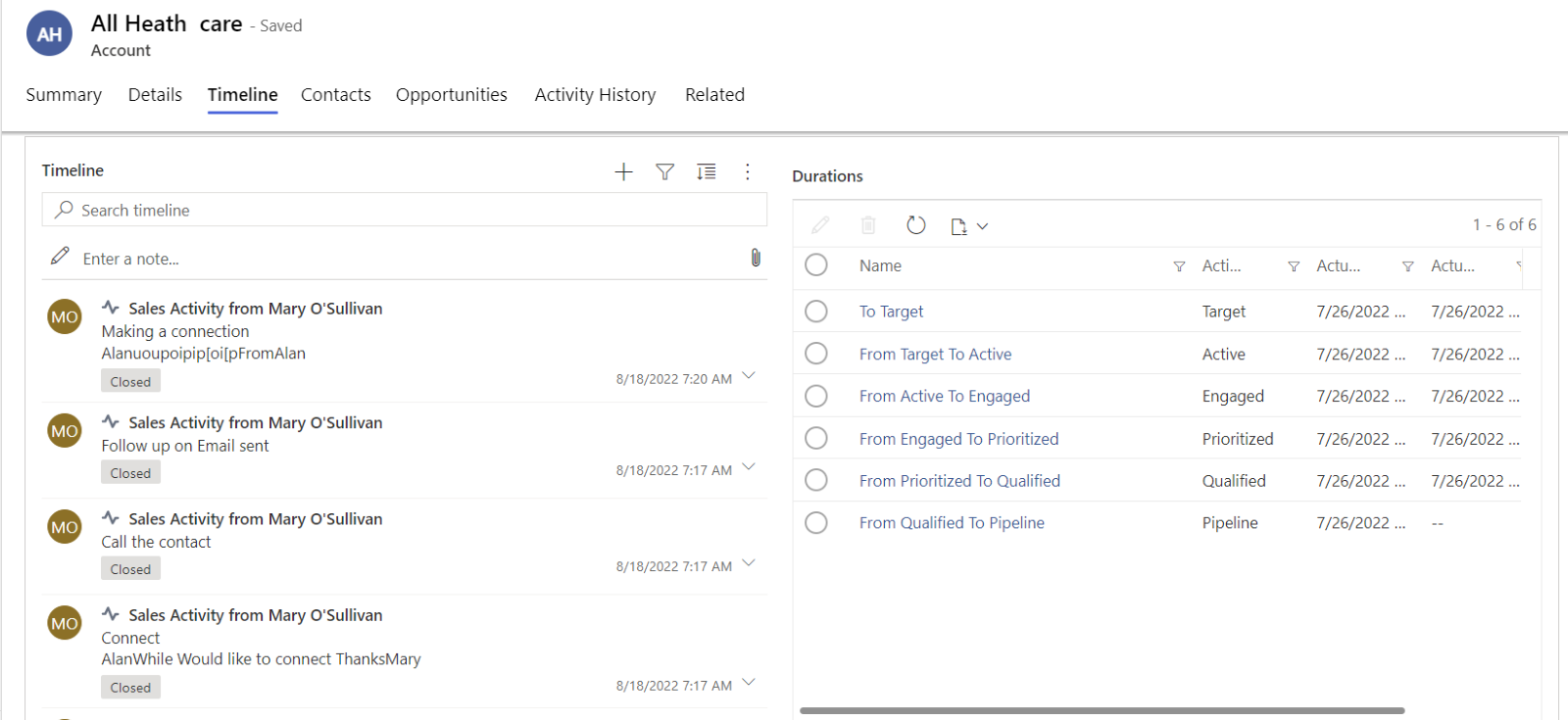
Customer activity
 View full size
Review active and completed activities in the account timeline. Open an activity to update it or assign it to the right colleague, keeping the follow-up connected to the customer.
CRM for growing teams
A useful CRM gives your team a common starting point: the customer, the people involved and the next step. Keep that context together so colleagues can prepare for a meeting or continue a conversation.
Click develops the software. Nemely helps you shape the working process, prepare your data and configure the agreed scope. We confirm product and Microsoft subscriptions, training and support as part of your proposal.

What it adds
Find the account, relevant contacts and recent activity before the next conversation.
Bring stage, value, ownership and expected close date into the opportunity discussion.
Give colleagues a shared customer record and a place to follow up on agreed work.
People and context
A sale often involves more than one contact. Click CRM supports buying groups, helping the team keep track of the people involved in an opportunity.
We help you decide which customer relationships and responsibilities are useful to record, so the CRM supports preparation for the next meeting.
This illustrates how a team might organise its planning. It is not a Click interface screenshot or an automatic decision-maker classification.
Your rollout with Nemely
We start with how your team manages accounts and opportunities today, then agree the stages, responsibilities and information the CRM needs to support. Configuration, data preparation, training and ongoing support are scoped for your rollout.
In the demo, we can walk through an account and an opportunity, then discuss your pipeline and Microsoft setup. You can describe a typical sales scenario; the conversation helps identify the fit and the work to include in a proposal.
Define stages, ownership, essential fields and the customer information the team needs.
Set up the agreed scope, prepare the data and test representative sales scenarios.
Train the team around real work, support the launch and review what needs refining.
FAQs
Practical questions about product choice, Microsoft subscriptions, data and the work involved in getting started.
Click CRM is sales CRM software built on Microsoft Power Platform, developed by Click. It brings accounts, contacts, opportunities and customer activity into a shared workspace. Nemely helps you assess the fit, configure the product, prepare your data and train your team.
Yes. Click positions its CRM as a Power Platform application for managing accounts, contacts and opportunities. We review your Microsoft environment and the required product and platform subscriptions before confirming a proposal.
Click offers Marketing Automation and Sales Engagement alongside its CRM. Nemely can discuss how these products could support your marketing-to-sales handover. We confirm the selected products, subscriptions and implementation work in your proposal.
We can review your current data sources, duplicates, required fields and ownership rules, then plan the migration work included in your implementation. Start by describing the information you need to bring across.
Click CRM is developed by Click; Nemely Essentials is developed by Nemely. Both use Microsoft Power Platform. We compare them against your customer and sales workflow, required connections, existing Microsoft setup and proposed subscriptions. A demonstration helps you assess the fit before choosing.
The proposal confirms product and platform subscriptions alongside Nemely’s implementation work. Scope depends on the configuration, data preparation, connections, training and support you need. We agree what is included and what would be additional before work begins. Timing also depends on source-data access, decisions and time for your team to test the configured workflow.
Official featured Click CRM product visual with vendor example data. Configuration and interface can vary.
View the sourceOfficial Click CRM support screenshot with vendor example data. Configuration and interface can vary.
View the sourceOfficial Click CRM support screenshot with vendor example data. Configuration and interface can vary.
View the sourceOfficial Click support screenshot with vendor example data. The example uses earlier PowerPack branding; configuration and interface can vary.
View the sourceOfficial Click CRM support screenshot with vendor example data. Configuration and interface can vary.
View the sourceYour next step
Bring a typical customer conversation and an opportunity your team wants to move forward. We will show the relevant Click CRM views and discuss fit, subscriptions, configuration and the support you need.
Book a Click CRM demo