Bring us the work that takes too much searching, reading or chasing. Nemely helps you turn it into a useful Microsoft AI application—from assistance inside CRM to an agent that can use your business systems.
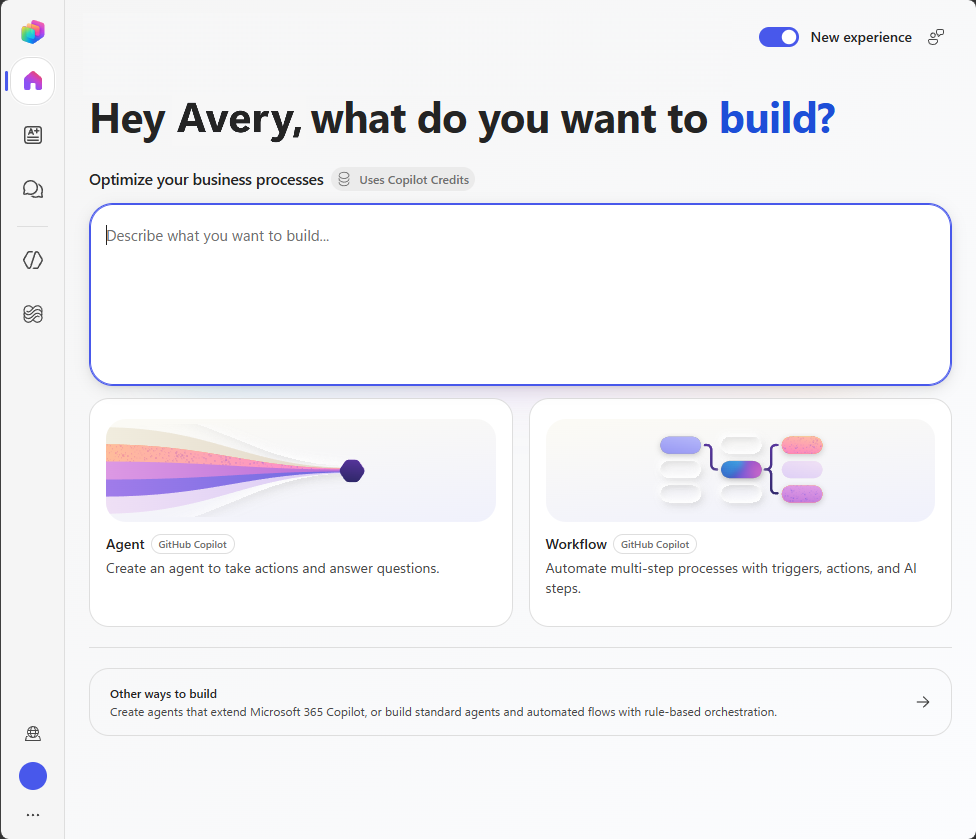
Microsoft’s Copilot Studio home illustrates entry points for agents and workflows. Creation experiences and availability vary as Microsoft rolls out updates; we confirm the experience available in your environment.
Microsoft Copilot StudioDynamics 365Power AutomateAI Builder
A few organizations we've worked with
Where could AI make the working day better?
A useful AI application brings together a defined task, trusted data, business context and controlled actions. Explore four starting points, with permissions, evaluation and human review built into the work.
Copilot & AI agents
An answer is useful. A completed task can be better.
An employee needs an answer from several documents, or a customer needs help taking the next step. Copilot Studio can combine knowledge, conversation and tools. We help you define a focused agent, the information it can use and the actions it is allowed to take.
Before a meeting, your team needs the story behind the account. Dynamics 365 Sales and the Sales agent in Microsoft 365 Copilot can help bring customer context into view. We prepare the data, check the available capabilities and fit review into everyday sales work.
An invoice, request or attachment contains information that a workflow needs. AI Builder can extract document data for Power Automate. We design the checks and exception handling around that output so the next system receives information someone can trust.
Identify the information the process actually needs.
Check the extracted values against business rules.
Send uncertain cases to a person with enough context to resolve them.
A convincing demo is a beginning. A useful service also needs representative tests, suitable access, someone to maintain its knowledge and an owner for change. We bring those decisions into the pilot, while there is still room to improve the design.
Start with one worthwhile task. Nemely brings CRM, Dynamics 365, Power Platform and integration expertise to the work: configure the capability, connect the information and actions, then help people use it well.
Map the current journey with the people doing it. Choose a bounded problem and agree what a better result would look like.
Build a representative pilot
Use realistic questions and working conditions. Connect only the sources and tools needed for the task, with a way to handle incomplete information.
Make the operating decision
Review the evidence, costs and ownership. Agree whether to improve, extend or stop the pilot before planning a wider rollout.
Planning notes
Choosing a practical first AI investment
How we define a useful result
Pick a task with a clear starting point and an observable finish. Record today’s effort, common mistakes and the cost of rework. During a pilot, compare complete task outcomes and user feedback rather than counting prompts or celebrating a polished demonstration.
FAQs
Your questions, answered.
Do we need to build a custom agent first?
Often, an existing capability in Dynamics 365 or Microsoft 365 Copilot is the better starting point. A custom agent is useful when the task needs a specific conversation, knowledge collection or connection to business actions. We assess the fit before adding another application.
Can Nemely work with our current Microsoft environment?
Yes. The starting review covers your existing applications, integrations, environments and administration model. Product entitlement, capacity, regional availability and configuration are checked for the particular use case; an existing Microsoft subscription does not automatically include every AI capability.
How do we keep up with Microsoft’s AI changes?
We review the Microsoft documentation and release plans relevant to your chosen solution. A roadmap announcement is a planning input, and a preview can be useful for evaluation. We confirm availability and support in your environment before treating a feature as a dependency for live work.
Your next step
Let’s make your next step concrete.
Bring Stefan one task your team would like to improve. We can help you choose a useful AI starting point and outline what it would take to put it into practice.