Nemely WorkSight. Win the work. Deliver the value.
Nemely WorkSight is project management software for consulting and service teams, connecting sales, resources, delivery, billing and customer support in one web application.
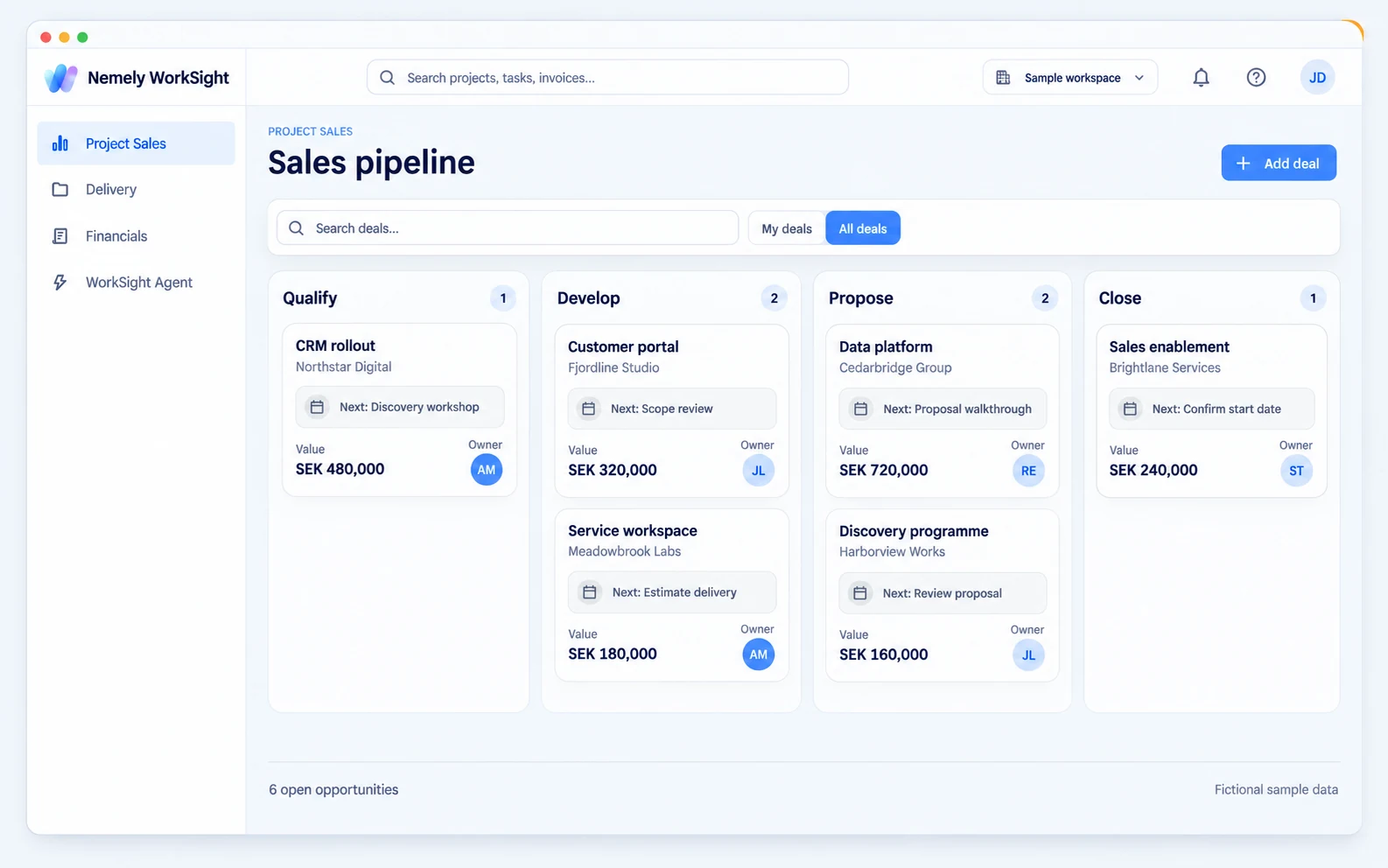
Keep customers, estimates and follow-ups together. When the deal is won, carry its commercial context into the project.
02/ 04
A shared delivery picture
See the work. Follow the billing.
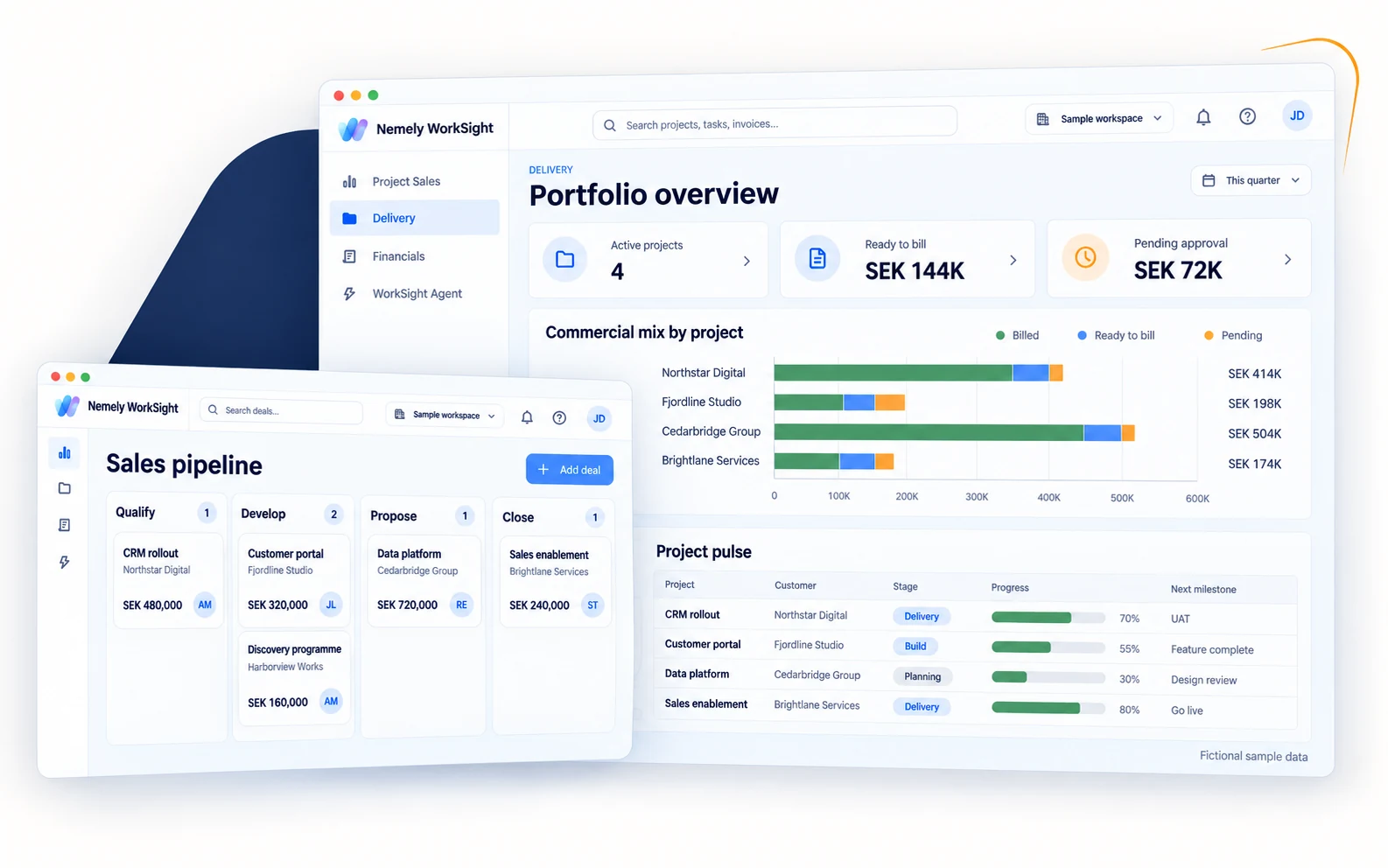
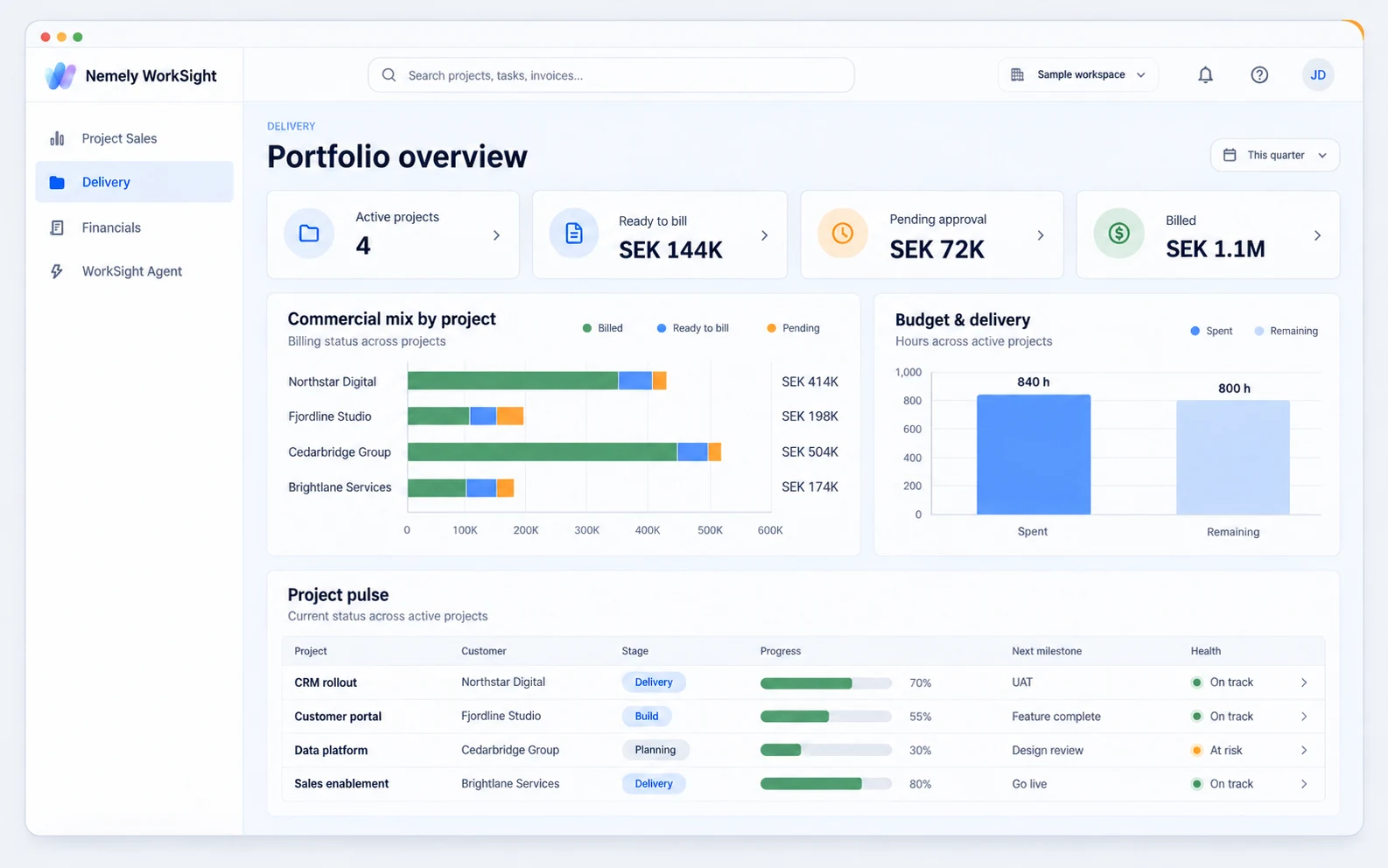
View full size↗AI-stylized illustration based on WorkSight’s local delivery dashboard. All project names and financial figures are fictional examples, not customer results. Open the image to explore it at full size.
See project progress alongside approved time, pending approvals and billing holds. Focus the next review on what needs attention.
03/ 04
Project & Delivery
Turn the plan into progress.
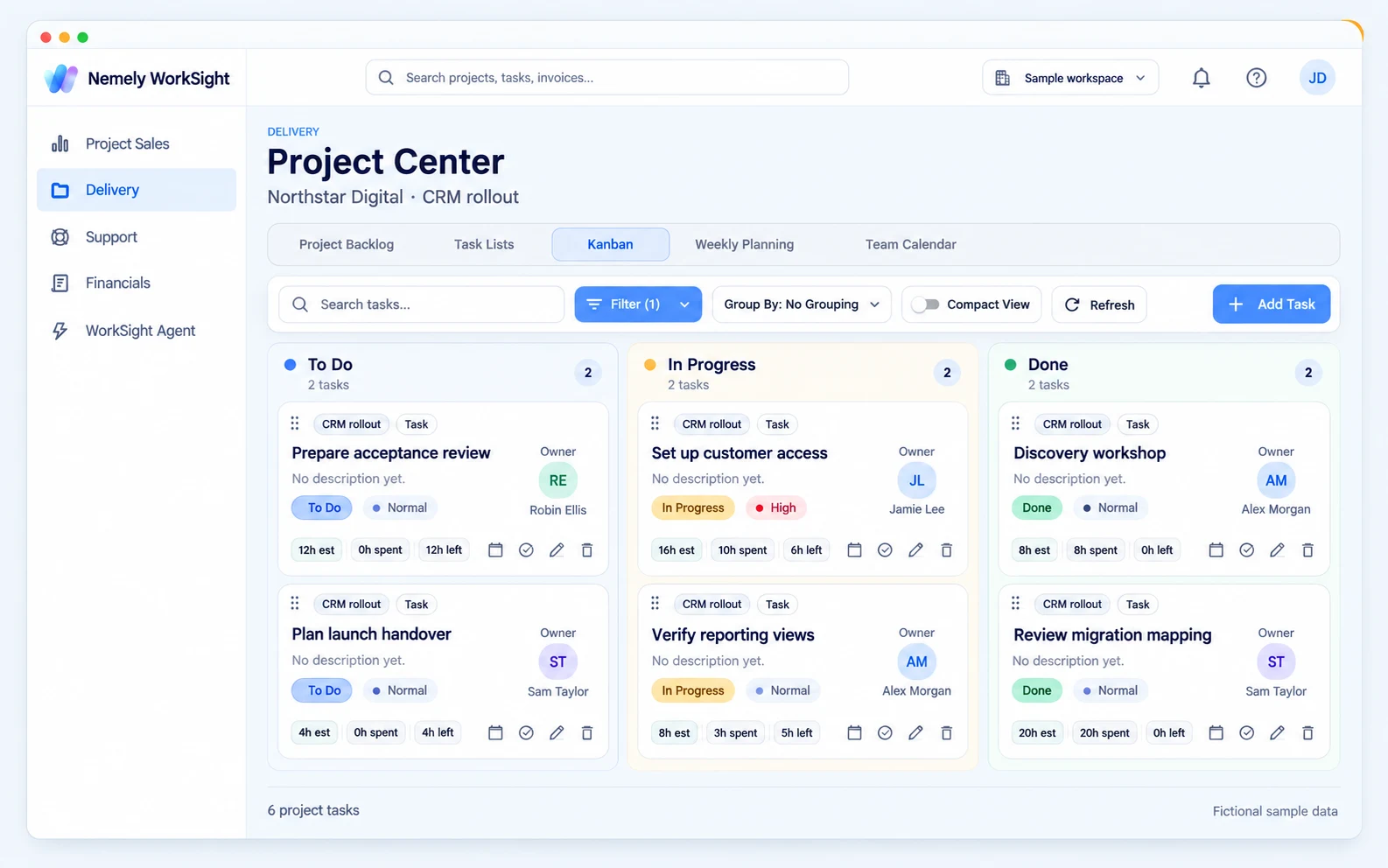
View full size↗AI-stylized illustration based on WorkSight’s local Project Center. All tasks, names and hours are fictional sample data. Open the image at full size to explore the delivery workflow.
Bring tasks, people, budgets and project knowledge into one workspace. Keep the next decision close to the work.
See the capabilities in this workspace+
01Make the next step clearGive the team a practical plan, with ownership and progress visible as the work changes.+
Organize work into tasks and subtasks with owners, priorities, estimates, due dates and project-specific statuses.
Use task lists and sprints to agree the next set of work and follow completion without losing each task’s history.
Keep milestones, releases and the backlog within the project workspace, with Project Center supporting day-to-day execution.
02Keep people and budgets in viewBring delivery commitments and commercial exposure into the same project review.+
Build project teams and review resource skills, role demand and utilization when discussing staffing.
Plan with budget posts and compare budget, spent time and remaining effort to see where the project needs attention.
Use portfolio views to review delivery workload, budget pressure, billing holds and future role needs across projects.
03Keep decisions close to the workMake it easier for colleagues and customers to follow the project without another handover meeting.+
Keep meeting agendas, notes and next steps with the project, alongside wiki pages, documents and task discussions.
Give invited customers access to selected tasks, meetings, documents and project information through the customer portal.
Choose the portal sections and content each guest can access, so customer collaboration follows the project’s permissions.
04Carry delivered work through to billingHelp project leads and finance act on the same record of the work performed.+
Report time against project tasks or budget posts, with project rules for the detail required on submission.
Review and approve reported time before preparing proforma invoices.
Distinguish billed work, approved time, pending approvals and billing holds to focus the next invoice run.
04/ 04
Customer Support
Keep the customer context close.
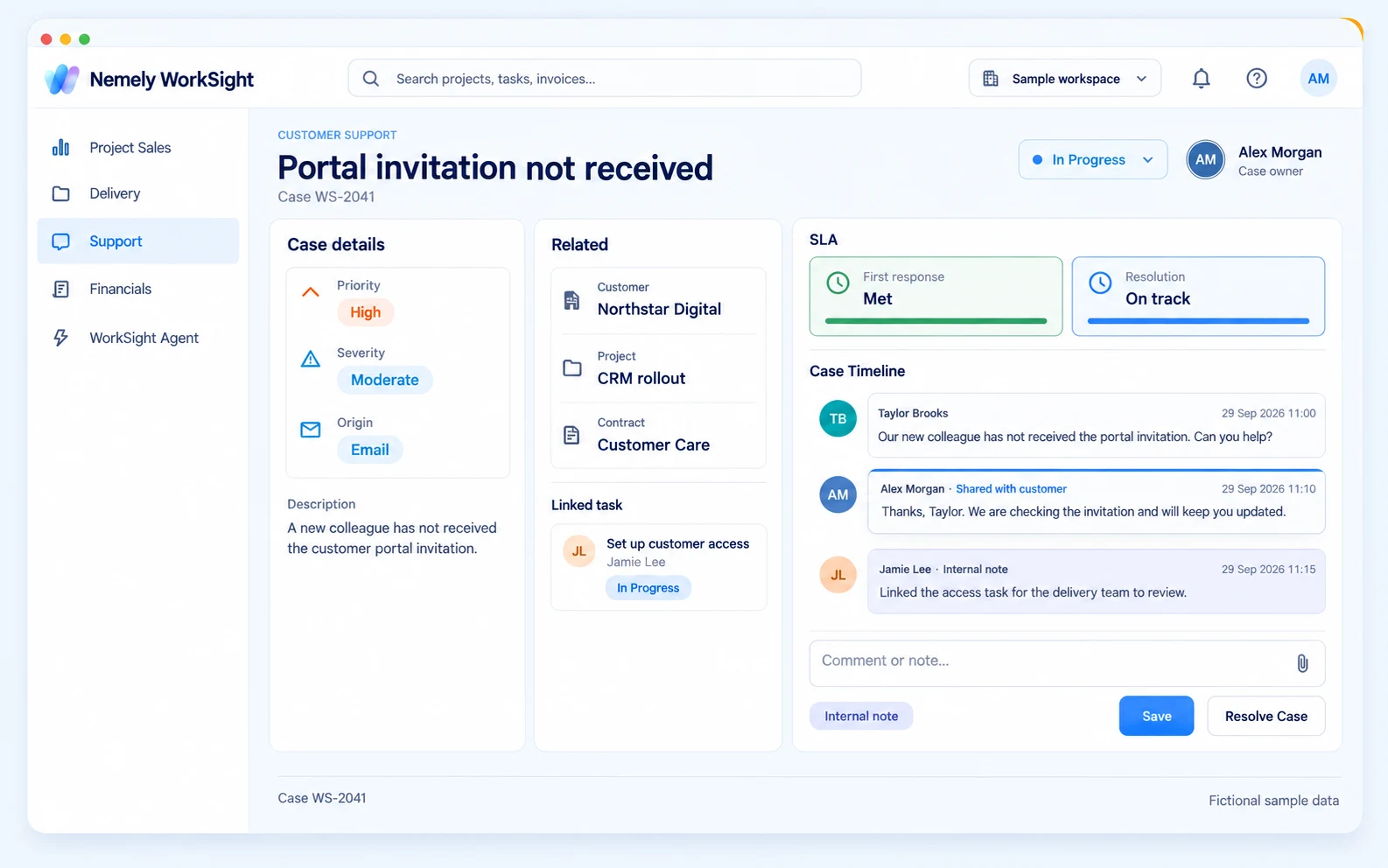
View full size↗AI-stylized illustration based on WorkSight’s local support case view. All names, conversations and service-level indicators are fictional examples. Open the image at full size to explore the case workflow.
Connect the case to the customer, contract and delivery history. Give the support team context to take ownership.
See the capabilities in this workspace+
01Give every case a clear ownerTurn incoming requests into a shared workload with priorities your team can act on.+
Capture the requester and customer context, then classify cases by status, priority, severity and category.
Organize cases into queues and apply routing rules using criteria such as customer, project, product or priority.
Assign responsibility and follow cases through triage, work in progress, waiting states, resolution and closure.
02Keep service promises visiblePut agreed response and resolution targets where the support team can see them.+
Define contract-based service-level targets for first response, resolution or both, by priority and severity.
Configure the contract’s working hours and review due times and SLA status on the case.
Use the customer’s agreement and the urgency of the issue to guide the team’s next action.
03Keep the conversation togetherGive the next colleague the history they need to respond with context.+
Follow the case timeline with comments, email exchanges and attachments.
Keep internal notes separate from updates shared with the customer.
Reply through configured email channels and use email templates; allow customer case access through the portal where enabled.
04Connect the issue to the workKeep support and delivery aligned when resolving a case needs project work.+
Relate a case to its customer, contract, project and product instead of rebuilding that context in a separate ticket.
Link relevant WorkSight tasks and open them from the case to review the work behind the resolution.
Access support cases from the project so delivery teams can see the customer issues associated with their work.
05Make useful answers reusableKeep relevant guidance close to the customer and the case.+
Create knowledge articles as general documentation or link them to a product, customer or project.
Find related articles from customer and project pages, and link relevant guidance directly to a support case.
Use shared knowledge to help colleagues build on existing answers when similar questions return.
06Connect your customer’s support workflowLet an external customer system exchange cases with a specific WorkSight project.+
The Project Support API can submit, retrieve and update cases and exchange customer-visible updates.
Project-bound credentials, expiry and read-only or read/write access keep the connection scoped to the agreed project.
Internal notes stay outside that API’s customer-visible updates. Connection setup and integration scope are agreed with Nemely.
From a won deal to work delivered
Keep the promise connected to delivery.
Bring the customer context from a won opportunity into the project. Keep tasks, people and budgets together, then follow reported time through approval and proforma invoice preparation.
Less piecing the story together. A shared view of the work and the next decision.
View full size↗AI-stylized illustration based on WorkSight’s local delivery dashboard. All project names and financial figures are fictional examples, not customer results. Open the image to explore it at full size.
View full size↗AI-stylized illustration based on WorkSight’s local support case view. All names, conversations and service-level indicators are fictional examples. Open the image at full size to explore the case workflow.
What it adds
Support the customer beyond go-live.
01
Start with context
See the customer, contract and delivery history behind the case.
02
Make ownership clear
Keep priorities, responsibilities and service commitments visible.
03
Keep the relationship moving
Connect support work with the team that knows the customer.
Explore more product detail+
Across your business
Plan capacity, follow finances and ask WorkSight for help.
Plan staffing from skills, availability and workload. Review cash-flow plans and financial records. Use WorkSight Agent to find customer and project information, summarize work and help with supported actions, within each user’s permissions.
01Plan capacity with confidenceMake staffing decisions with resource skills, availability and workload in view.+
Maintain resource profiles, competencies, roles and project experience.
Compare utilization forecasts, actual time, billable activity and targets.
Review future role demand alongside the delivery backlog.
02Ask WorkSight. Move work forward.Use the built-in WorkSight Agent to find context, summarize work and help with supported actions.+
Ask questions about the customers, projects and operational records you can access.
Use supported task, sales and time workflows through the same permission checks as the application.
Connect compatible AI assistants through permission-scoped MCP access when enabled by your organization.
03See beyond the next invoiceBring planning and financial follow-up into the operational picture.+
Review cash-flow plans, forecasts and actual transactions.
Keep receipts, statements and financial records organized.
Agree the required accounting connections, configuration and working routines with Nemely.
04Keep teams connectedLet each team work with the customer context it needs, within its assigned access.+
Carry customer and project context across sales, delivery and support.
Make shared project knowledge available to the colleagues who need it.
Use enabled modules and role-based permissions to shape each team’s workspace.
See your workflow in WorkSight
Start with one journey your team knows well.
Bring us a typical customer journey, from the first opportunity to delivery and ongoing support. We’ll walk through how WorkSight connects the sales handover, project plan, time and billing, and the cases that follow go-live.
Together, we identify the modules, roles, data and connections your team needs. You leave with a clearer view of the fit and the scope to discuss, before deciding how to move forward.
01
Map the handovers
Show us where sales, delivery, finance and support lose time or context today.
02
See the connected workflow
Walk through an opportunity, a delivery project, time and billing, then a customer case linked to the work.
03
Agree a practical starting point
Discuss the right scope, setup, integrations, training and commercial proposal for your team.
FAQs
See whether WorkSight fits your business.
Practical answers before we explore your workflow together.
What is Nemely WorkSight, and who is it for?
Nemely WorkSight is a web application developed by Nemely for consulting and service businesses. It connects project and resource sales, project planning and delivery, time approvals, billing preparation and customer support around shared customer and project information. It suits teams that sell projects or specialist capacity and continue supporting the customer after delivery. A demo helps establish which modules fit your business.
How do sales, project delivery and customer support fit together?
Sales keeps customers, opportunities and estimates together. Project delivery adds tasks, teams, budgets, time approvals and billing. Customer Support connects cases to customers, contracts, projects, products and delivery tasks, with queues, service-level targets and knowledge articles. WorkSight is Nemely’s own web application; it is not a Dynamics 365 or Power Platform add-on.
Do we need to use every module from day one?
WorkSight supports enabled modules and role-based permissions, so different teams can have different views and access. Nemely helps you agree a useful starting scope and the configuration, data preparation and training it needs. Available modules and commercial terms are confirmed in your proposal.
What can the WorkSight Agent do?
The built-in Agent can find and summarize accessible information and help with supported actions in WorkSight. Its access follows the selected organization and environment, enabled capabilities and the user’s permissions. Compatible external AI assistants can also connect through controlled MCP access when enabled. AI availability and provider setup are agreed as part of your configuration.
Can WorkSight work with our existing systems?
WorkSight includes integration capabilities, including a project-scoped Support API for customer case exchange. We review your accounting, communication, delivery and support connections, along with data ownership and access. Specific connectors, migration work and implementation scope are confirmed before a rollout.
Book a WorkSight demo and tell us how you sell and deliver work today. We’ll focus on a relevant workflow, then discuss users, modules, connections, onboarding and support. Nemely confirms the commercial terms and implementation scope in a proposal. The visuals on this page are stylized illustrations with fictional sample data.
Your next step
See the whole journey. Start with a conversation.
Tell us how your team wins, delivers and supports customer work. We’ll show you how WorkSight connects the steps, and help you find a practical starting point.

 View full size
























 View full size
 View full size
 View full size
 View full size