
Create with consistency
Start from reusable email layouts and bring your brand into messages and forms.
A Click partner product
Software by Click. Implemented and supported by Nemely.
Click Marketing Automation is marketing automation software for teams using Microsoft Dynamics 365. Design emails, capture responses with forms and build automated follow-up journeys around your customer information. Nemely helps you configure the product, test your campaigns and prepare your team.
 View full size
























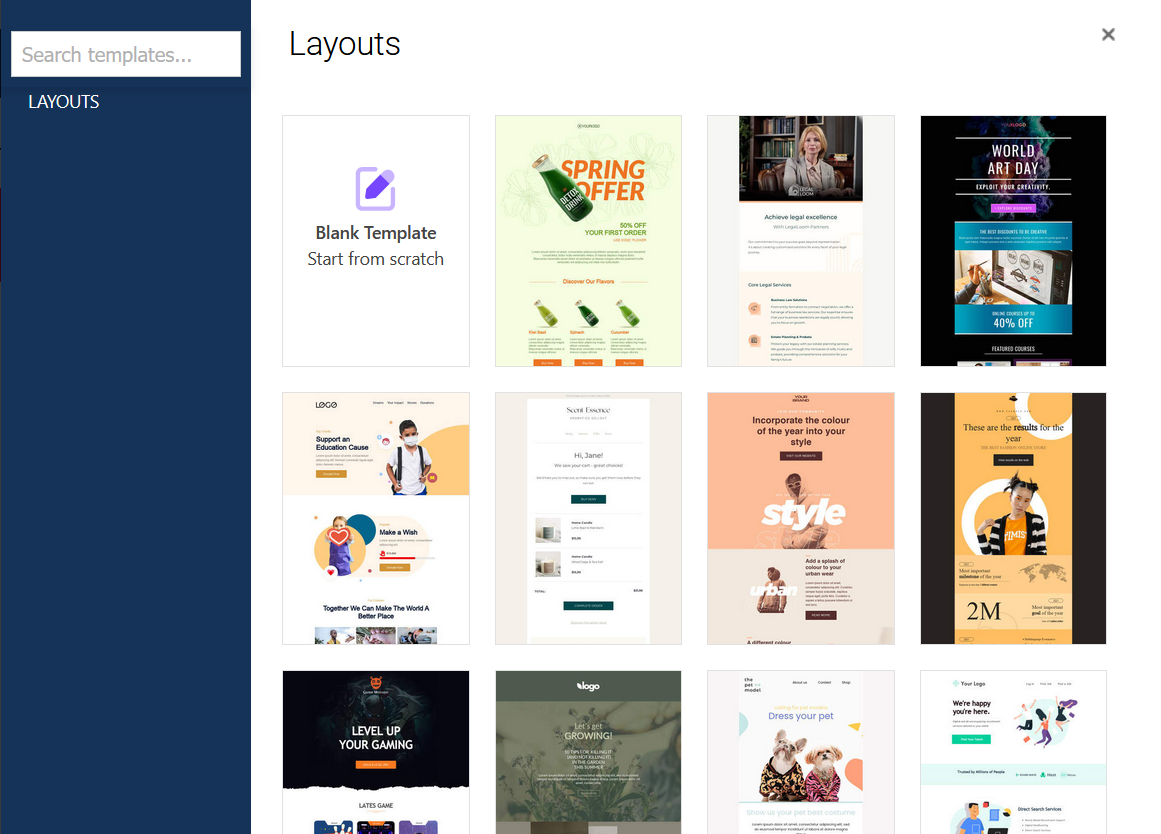
Explore the tools behind a connected campaign. Choose a view to see how messages, forms, journeys and results work together.
Create the message
 View full size
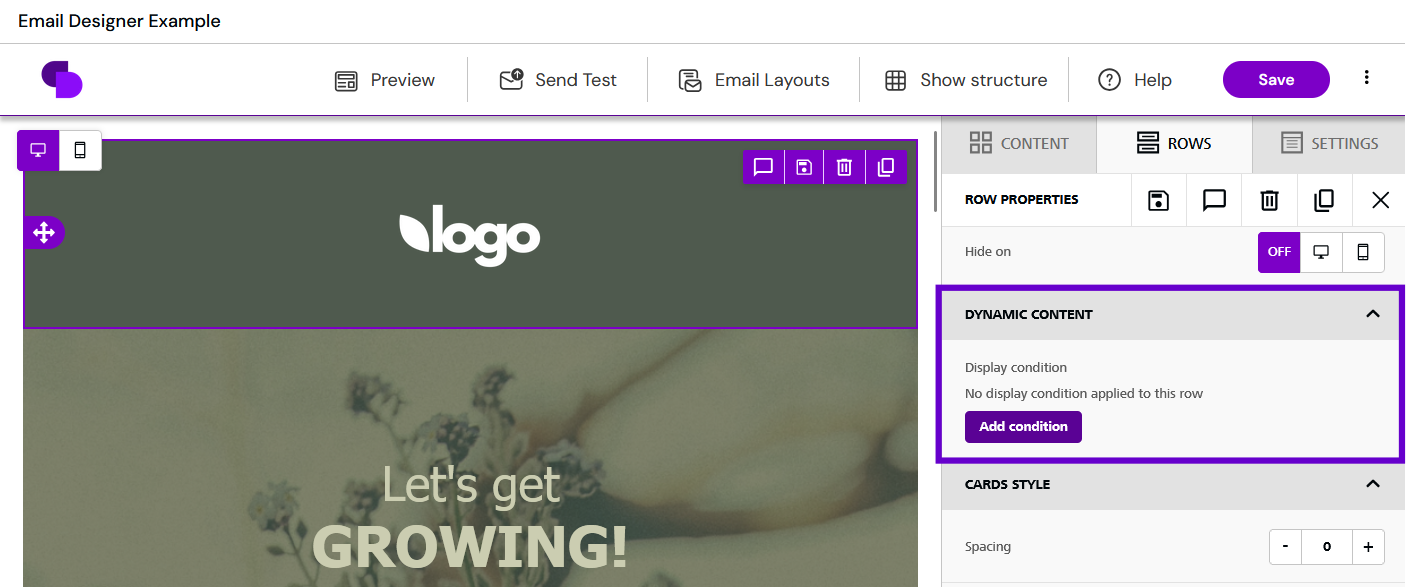
Build emails from reusable layouts, rows and content blocks. Add your message, images and calls to action, then preview the design for different screen sizes.
Nemely helps you establish the templates, customer fields and review routine your team will use, so the next campaign starts with a useful foundation.
Capture the response
 View full size
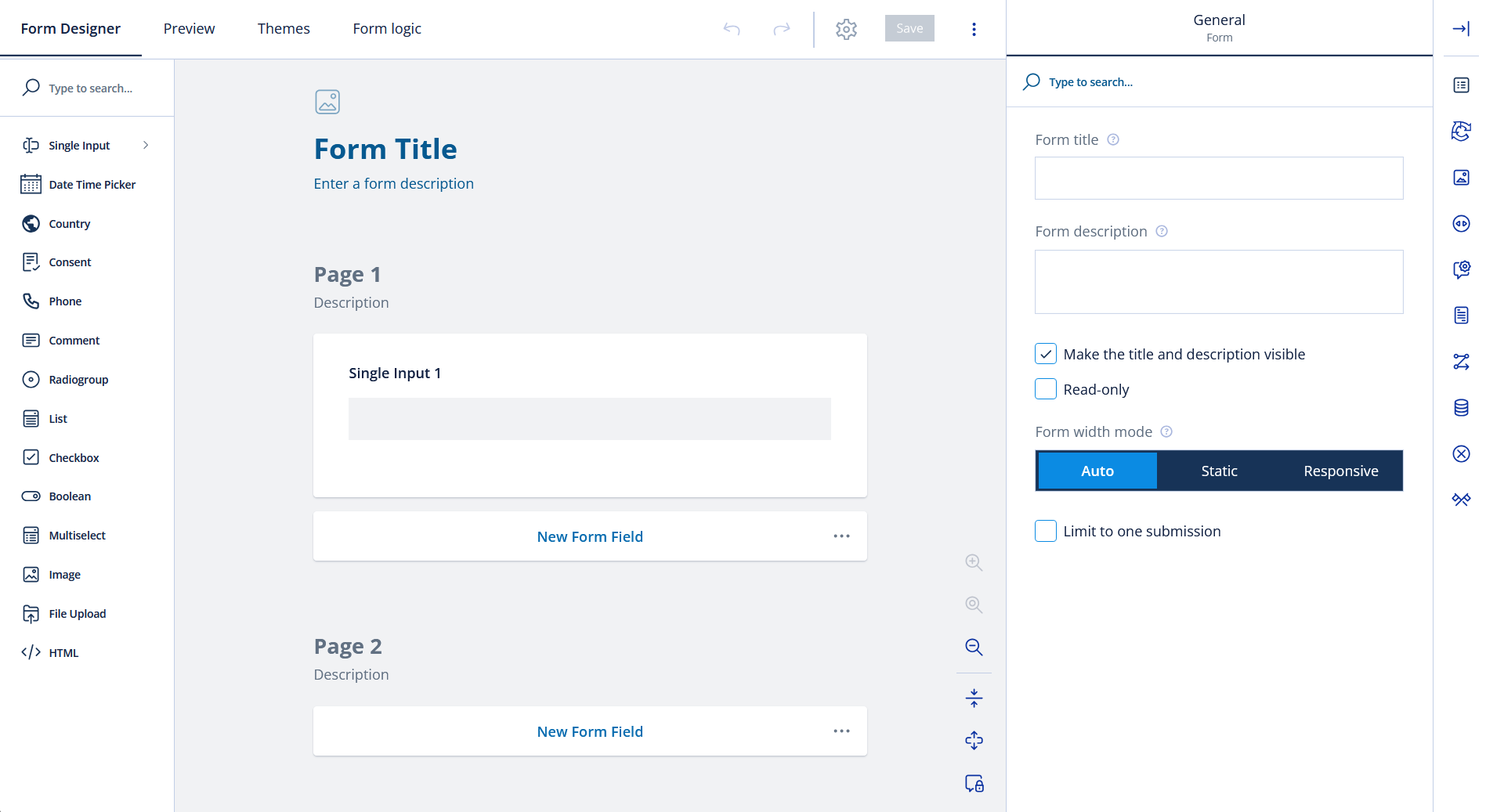
Create a form for an enquiry, registration or another useful response. Arrange the fields, adjust the theme and preview the experience before publishing.
Form fields can map to lead or contact information. We agree which details you need, how records should be matched and what your team should do after a submission.
Inside campaign automation
 View full size
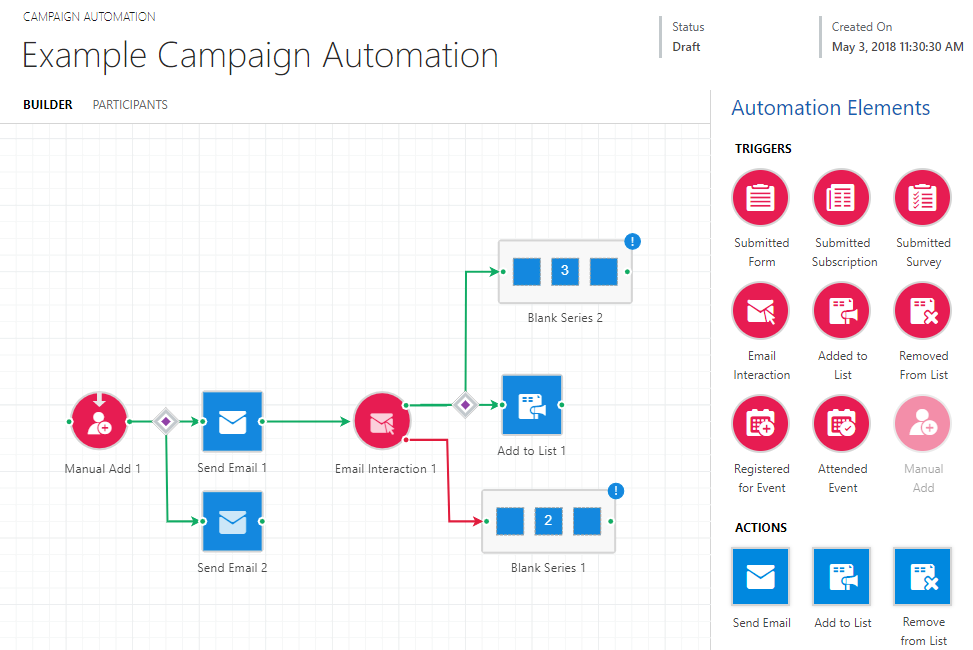
The campaign builder connects triggers, actions and timers into a sequence. A decision can send participants down different paths according to the interaction or information you choose.
Nemely helps you map the intended journey first, then check the entry rules, message timing and follow-up before launch.
Understand what happened
 View full size
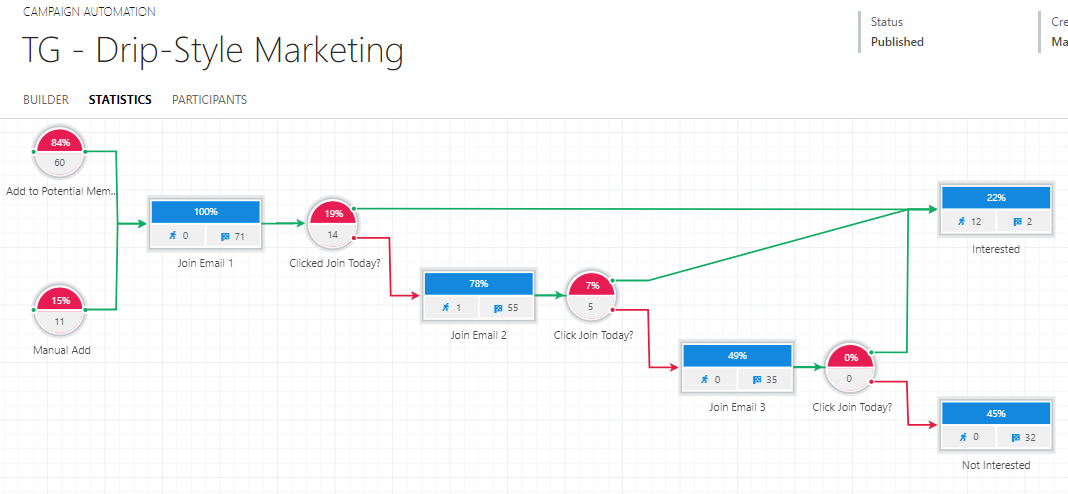
The statistics view shows participant counts and percentages along campaign paths. Review where people entered, progressed or completed the journey, then inspect the related email activity.
Use that picture to discuss the next improvement: a clearer message, different timing or a better handover. Nemely helps connect the review to a practical next step.
From message to meaningful follow-up
An email is only one part of the experience. A useful campaign also needs a relevant audience, a clear way to respond and someone ready to follow up. Click brings email, web forms and automation into your Dynamics environment.
Nemely helps you connect those parts around your team’s work: the customer information you need, the messages you send and what should happen when somebody shows interest. Start with one journey, test it and learn from the response.
A campaign workflow to discuss with Nemely. The audiences, journeys and follow-up rules are configured for your business.
What it adds
Start from reusable email layouts and bring your brand into messages and forms.
Connect the next action to a relevant signal, such as an enquiry or an email interaction.
Review recorded engagement and campaign progress before choosing what to change next.
Your campaign with Nemely
A campaign needs practical decisions about audience quality, email design, website forms and the way subscriptions are managed. Nemely brings the configuration and the marketing workflow into the same implementation discussion.
Start with one useful journey. Make its intended outcome clear, test the experience and review the response with the team responsible for acting on it.
Agree the audience and purpose, such as an event invitation or a follow-up after an enquiry.
Configure the relevant content and entry rules, check subscription handling and test the messages and paths.
Look at campaign activity, discuss the handover with sales and agree the next improvement.
The sales handover
Forms can capture enquiries into CRM, and recorded engagement can inform follow-up. The useful question is what your team should do with that signal.
Nemely helps you agree which responses need attention, who should handle them and what customer context they need.
Example operating model for discussion. Follow-up rules and responsibilities are agreed and configured for your business.
FAQs
We use the demonstration to connect the product to your actual marketing work, data and Microsoft environment.
Click Marketing Automation is software for email marketing, web forms and automated campaign journeys connected to Microsoft Dynamics 365. Click develops the software; Nemely is a ClickDimensions partner providing onboarding, installation, configuration, training and support.
A focused first scope could cover email templates, an enquiry form and one follow-up journey. We agree the audience, required information, mailing preferences and response ownership before configuring it.
Click Marketing Automation connects marketing features with Dynamics 365 customer records, including leads, contacts and recorded interactions. We review your environment, data model, Microsoft licences and deployment requirements to confirm a suitable setup.
The screens are published Click product examples. Appearance and available tools depend on your installed version and configuration. The Email Designer is available from Click version 2024.02, and the Form Designer shown here requires Click’s UCI application. We check your environment and demonstrate the relevant tools before agreeing the implementation scope.
Click Marketing Automation focuses on emails, forms, campaign journeys and recorded engagement. Click CRM manages accounts, contacts and sales opportunities. We can discuss either product or a combined setup, with the selected products and handover between marketing and sales confirmed in your scope.
We confirm the Click subscription and Microsoft licensing requirements alongside Nemely’s implementation work. The scope depends on your environment, data, templates, forms, journeys, training and ongoing support. The proposal identifies what is included and what would require additional work. The launch plan also depends on content approvals, data readiness and time to test the selected journeys.
Your next step
Tell us about one campaign or follow-up journey you want to improve. We can explore Click Marketing Automation in the demo, check the fit with your Dynamics environment and discuss the setup and support you need.
Book a Click Marketing Automation demo