Queues, knowledge and customer history should help representatives resolve the issue in front of them. Nemely designs Dynamics 365 Customer Service around the way your team receives, works and follows up on customer requests.
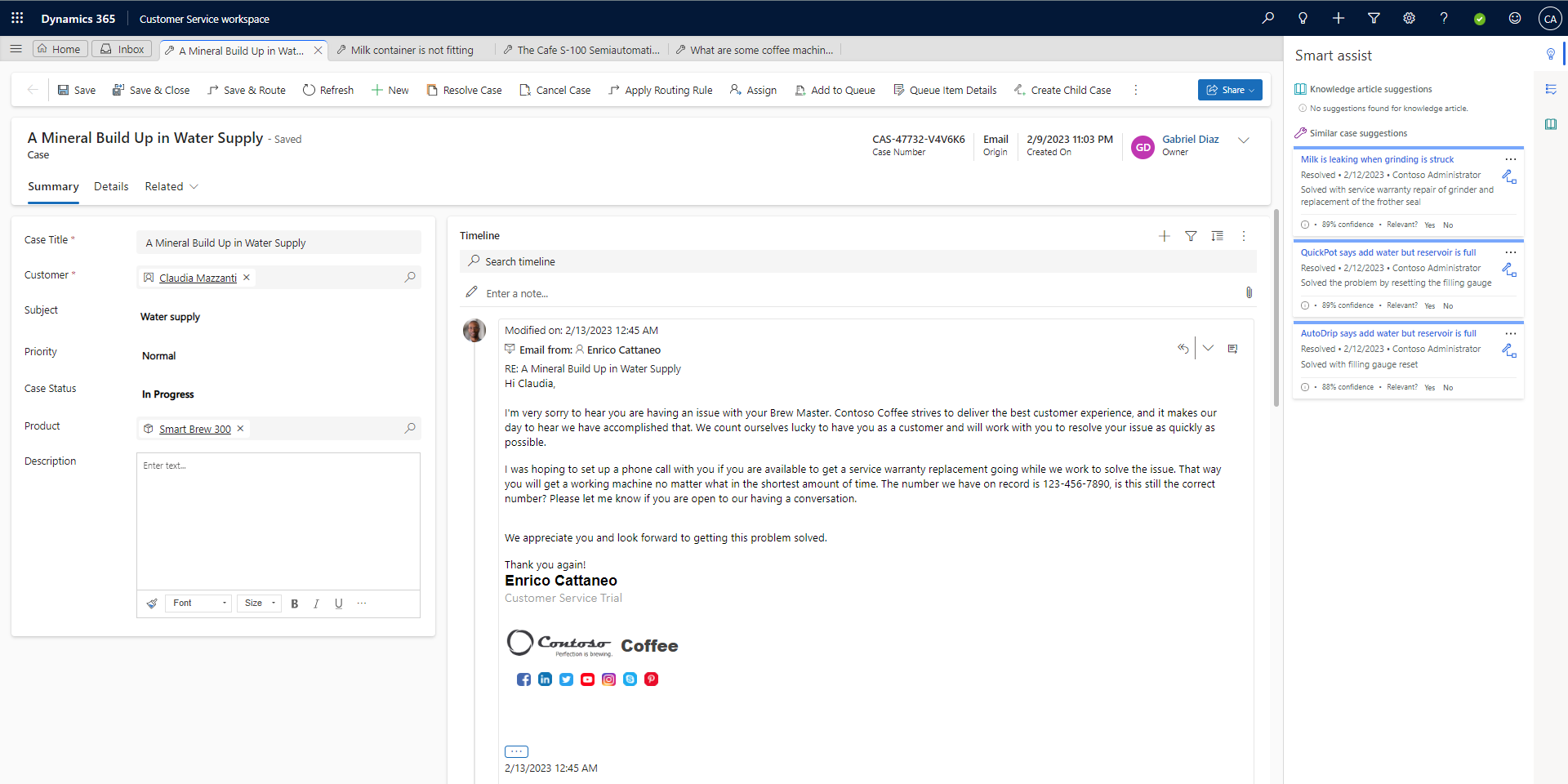
Microsoft’s service workspace documentation image, showing a case, timeline and Smart Assist. This image does not depict every current Service Agent capability.
Dynamics 365 Customer ServiceCopilot Service workspace
A few organizations we've worked with
From an incoming request to a considered answer.
Make the representative’s working day the starting point: what they need to see, what they can do and when another person needs to help.
Channels and ownership
The right expertise, earlier.
A busy queue needs more than a priority flag. We define case categories, ownership and escalation paths around your service commitments. Where live voice and digital conversations need unified routing, Dynamics 365 Contact Center can provide a connected channel layer alongside Customer Service or an existing CRM.
Copilot Service workspace supports multiple cases and conversations in a tabbed experience. Microsoft’s service assistance also includes finding relevant knowledge, summarising case information and drafting communications. We configure the workspace and evaluate AI assistance against your content, representative permissions and real service scenarios.
Design case forms around the decisions representatives make.
Keep people responsible for checking customer-facing answers.
A knowledge base needs someone to keep it useful. We help define how service teams suggest, review and retire content, then connect that routine to case closure. Supervisors can use the agreed service measures to find coaching needs and recurring causes of demand.
Review request volumes, case categories, opening hours and escalation rules with the teams responsible for service delivery.
Configure and rehearse
Set up queues, forms and knowledge access. Run realistic cases, transfers and AI-assisted tasks with representative feedback.
Coach and refine
Support supervisors and users through rollout. Review case quality, time spent searching and repeat demand, then prioritise the next improvements.
FAQs
Your questions, answered.
What is the difference between Customer Service and Contact Center?
Dynamics 365 Customer Service focuses on case management, knowledge and the representative’s work. Dynamics 365 Contact Center brings voice, digital conversations, routing and self-service together and can connect to an existing CRM. They can work together; we assess your casework, channels and licensing before recommending a combination.
How does Service Agent fit into the solution?
Microsoft describes Service Agent as an assistant for retrieving service information, summarising context, drafting communications and completing supported tasks. We assess which configured capabilities are useful for your team, check availability and permissions, and test the quality of its responses before rollout.
Can we retain our existing knowledge articles?
We first assess where the content lives, how it is maintained and who is allowed to see it. Useful material can inform the target knowledge approach; gaps, duplicates and outdated advice should be addressed before relying on it for search or AI assistance.
What affects the scope and timing of a service-desk rollout?
The channels, routing rules, knowledge quality, existing systems and number of teams affect the work. We agree the first service journey, required licences, configuration and connections, then plan representative case testing, training and the transition from the current setup.
Who should take part in the first service workshop?
Include service representatives, a service owner and someone responsible for the current systems. Bring examples of cases that are repeatedly transferred or take too long to resolve. These help identify the information, ownership and handovers the first release must improve.
Your next step
Let’s make your next step concrete.
Show Stefan what makes a difficult case harder than it should be. We can discuss the workspace, channels and knowledge your representatives need.