People should not need five spreadsheets to complete one task. Nemely builds Microsoft Power Apps that bring the right forms, records and actions together for the role, from an operational request to a more complex business process.
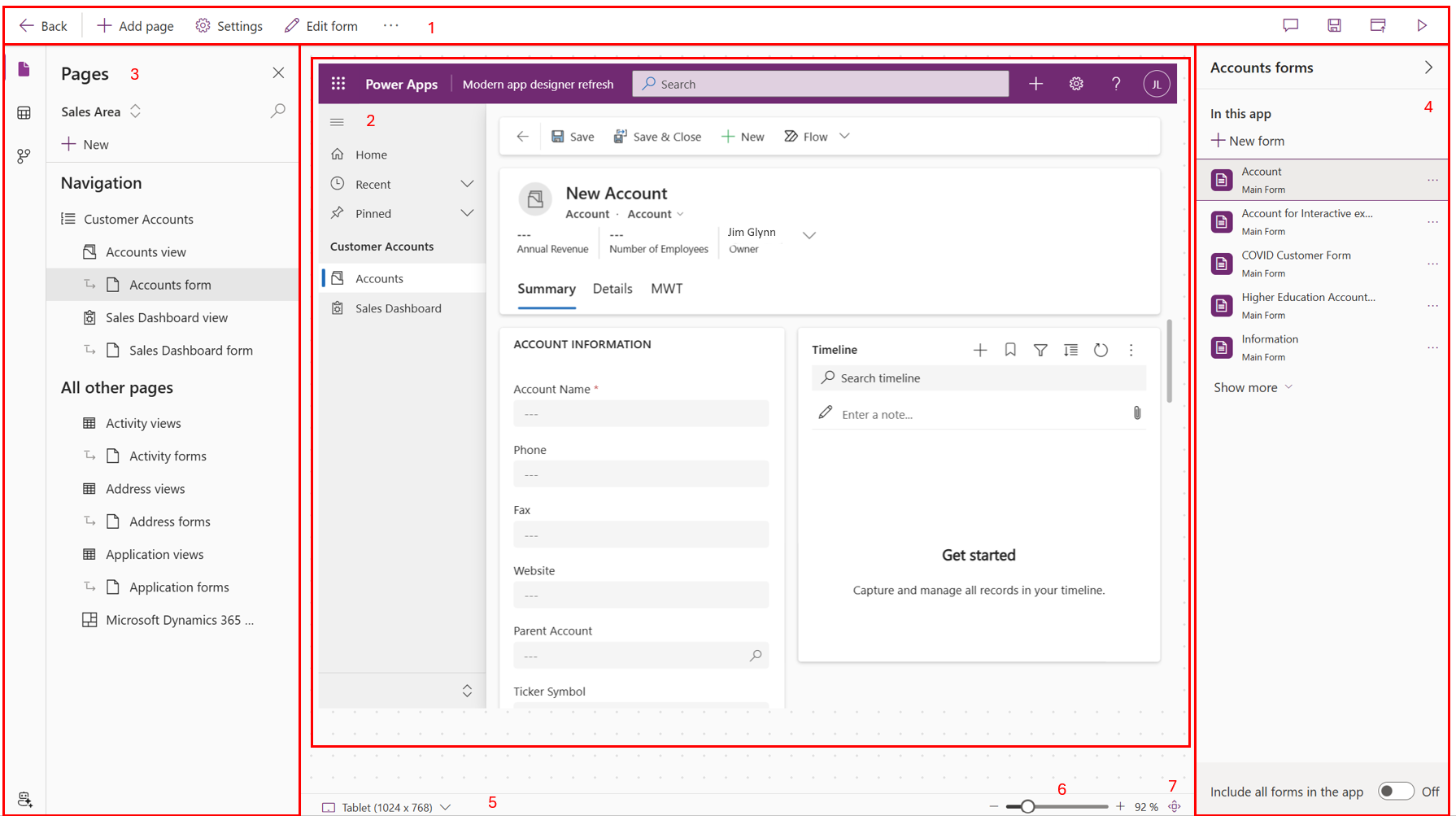
Microsoft’s annotated model-driven app designer. The original callouts identify navigation, preview and editing controls; the example is not a finished Nemely application.
Start with the user’s task. Connect the interface to a dependable data model. Then test whether the app helps people finish the work.
Task and user experience
Show people what they need next.
An app for a coordinator will not look or behave like an app for someone working away from a desk. We observe the task, sketch the simplest useful experience and test it with the people who will use it. That helps keep navigation, forms and validation focused.
Model-driven Power Apps bring forms, views and dashboards together around Dataverse tables. Canvas apps give more control over a task-specific interface. We choose the approach based on your process, devices and data, then design relationships and role access alongside the screens.
The first version should be useful enough to try on real work. We validate common tasks and awkward inputs, make necessary changes and prepare the release with your team. Training and a named application owner help the app stay useful as the business evolves.
Identify the tasks, devices and data each group needs, including the constraints of working away from a desk.
Build a focused release
Implement the core screens, record relationships and necessary automation. Test the user journey with realistic data and permissions.
Prepare the app owner
Set up a controlled way to move changes between environments and give the owner the guidance needed to support users and prioritise improvements.
FAQs
Your questions, answered.
Should we choose a canvas app or a model-driven app?
Canvas apps suit experiences where the screen layout and interaction need close control. Model-driven apps suit work organised around related Dataverse records, forms and views. We compare the options against your tasks and can combine approaches where that adds value.
Can you replace a spreadsheet with an app?
Often, but the first step is to understand the spreadsheet’s hidden process: calculations, approvals, exceptions and the people who maintain it. The app should preserve useful behaviour while correcting the ownership and data issues that prompted the change.
Can Copilot help build the app?
Microsoft offers AI-assisted ways to plan and create apps, including features with preview status. We evaluate those capabilities as development aids while still reviewing the data model, security, generated behaviour and maintainability before business use.
What affects the cost and timing of a custom business app?
Screen and workflow complexity, data relationships, access controls and connections to other systems shape the scope. We review licensing for the selected approach and agree testing, deployment and maintenance responsibilities before estimating delivery.
What should we bring to an app-planning workshop?
Bring the forms, spreadsheets or messages used for one task, including examples of exceptions. Identify the people doing the work and who owns the information. We use those examples to define the smallest complete workflow and the checks it needs before release.
Your next step
Let’s make your next step concrete.
Tell Stefan which task has outgrown its spreadsheet or current system. We can explore a focused app and the information it needs to work well.