
Dynamics 365 Customer Engagement
Microsoft Dynamics 365 Project OperationsKeep the promise connected to the project.
Connect project opportunities, planning, resources and time with the commercial detail behind delivery. Dynamics 365 Project Operations helps project-based organisations manage work across team boundaries.

A few organizations we've worked with
























Features & benefits
Connect the project from sale to delivery.
Dynamics 365 Project Operations is an application for project-based business. It connects project sales, planning, resource management and delivery information, with financial scope determined by the deployment.
Microsoft Dynamics 365 Project Operations
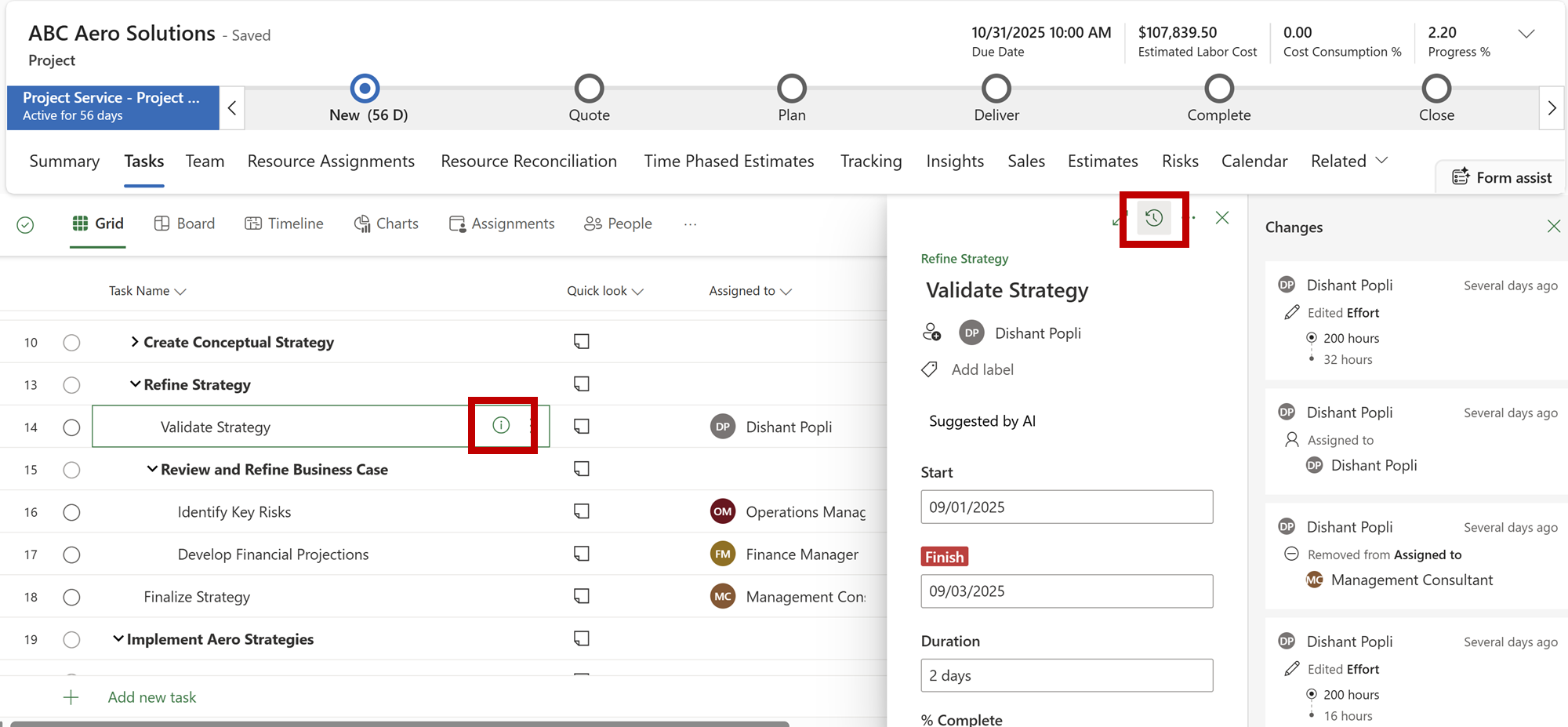
Project planning
Organise tasks and plans around the work to be delivered.
Give teams a shared structure for the project.
Feature details
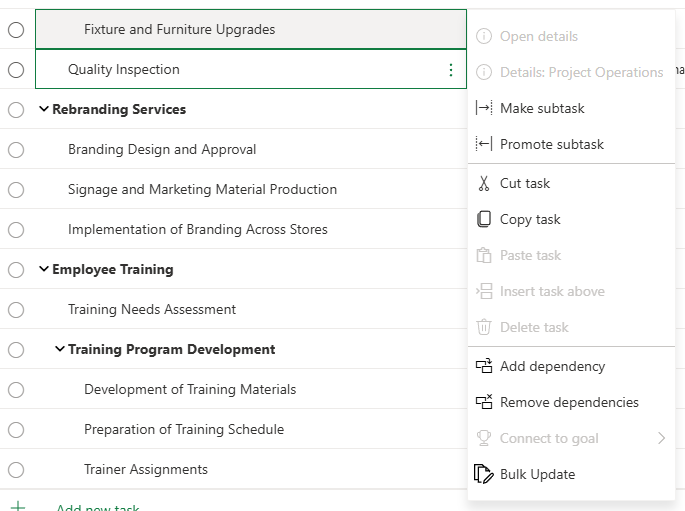
- Organise tasks and manage changes to the plan.
- Review resource bookings when assignments change.
 Enlarge screenshot
Microsoft Dynamics 365 Project Operations
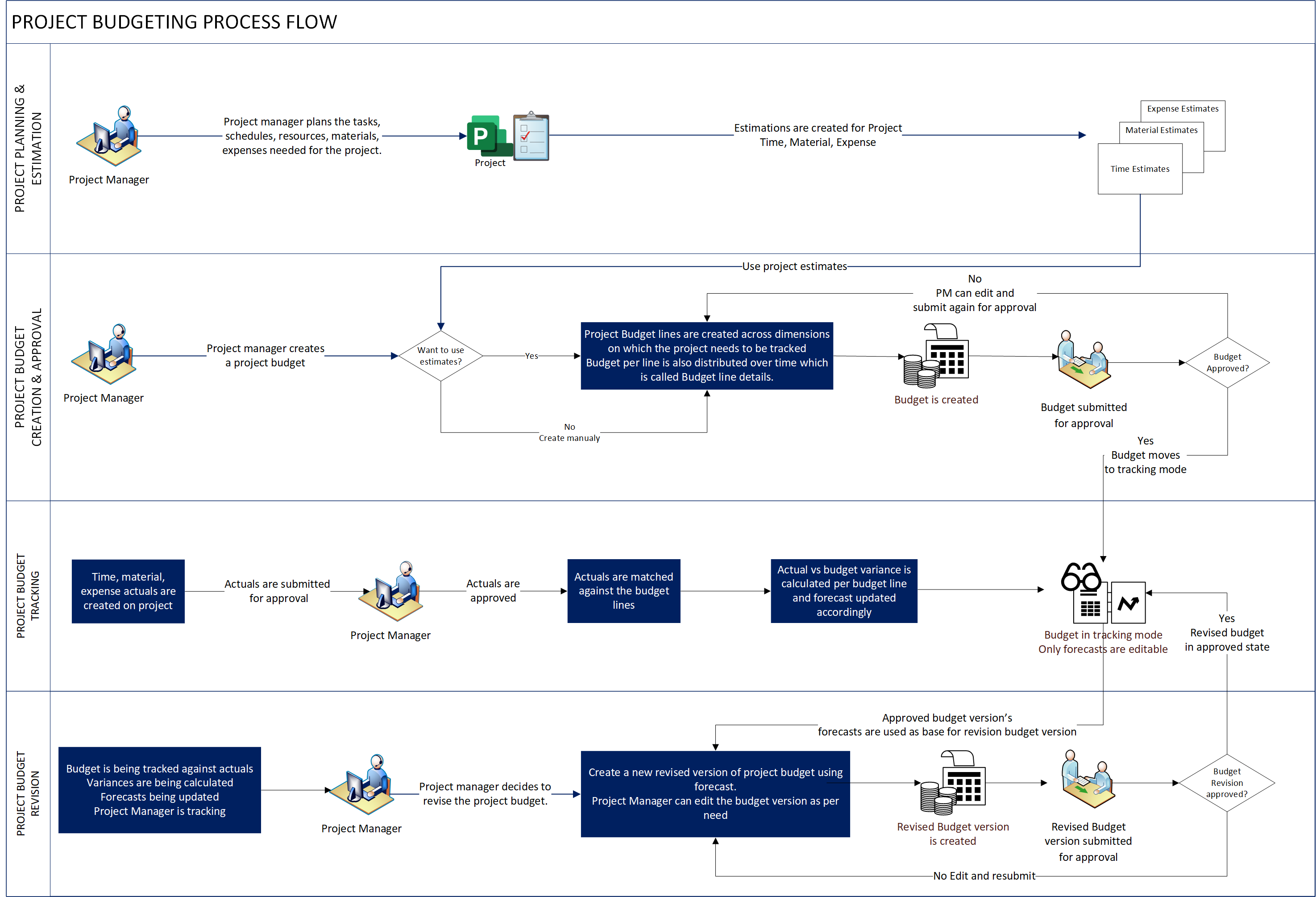
Keep project costs in view.
Plan the cost of project work and review budget consumption against actuals in the Core deployment.
See where delivery is moving away from the financial plan.
Feature details
- Plan project costs for the selected deployment.
- Compare budget consumption and actuals where supported.
 Enlarge screenshot

From features to everyday work
Keep the project plan connected with the commercial picture.
What was estimated and sold needs to remain visible when delivery begins. Bring the project team and commercial team around shared assumptions, resource needs and a record of the work as it develops.
Project-based sales
Prepare project estimates, quotes and contract information.
Connect the commercial agreement with delivery planning.
Resource management
Plan resource requirements and allocate people to project work.
Make staffing decisions with more context.
Time and expenses
Capture project time and supported expense information.
Improve the record of effort and delivery cost.
Billing and finance connections
Connect project billing information with the relevant financial processes.
Keep delivery and finance connected without assuming one deployment fits all.
A closer look
More ways to make it useful.
Explore the capabilities behind the screens, including where data and configuration matter.
Budgets, actuals and forecasts
In the Core deployment, create and approve project budgets, review actual spending against budget and revise forecasts as work progresses. Confirm the capabilities available in your chosen deployment.
Approvals and finance handoffs
Agree how time, expenses and project transactions are approved, then connect the invoicing and finance steps required by the business. Finance integration differs by deployment type.
Project Operations has different deployment models. Accounting, invoicing, expenses, stocked materials and manufacturing capabilities depend on that choice and the connected finance system.
Take it further.
Explore the related solutions and services that support this work.
Project Operations solutions
Explore the commercial and delivery processes behind project-based work.
Related solutions
Workflow Automation
Look at recurring tasks and handoffs across the project lifecycle.
Related solutions
System Integration
Plan how project information connects with your wider business systems.
Related solutionsQuestions & next steps.
How Nemely can help
Before you start
- Describe the project sales, planning and billing model.
- Review the existing finance system and resource-planning needs.
- Choose the deployment before promising financial or inventory scope.
Product questions
Is every Project Operations deployment the same?
No. Microsoft documents different deployment models. The appropriate option depends on project requirements, financial processes and the systems already in place.
Does Project Operations include full financial accounting?
Do not assume that for every deployment. For example, Project Operations Core can send proforma invoice information to a financial system. Finance integration and accounting scope need explicit planning.
Can it connect project sales and delivery?
Yes. Project-based sales, planning and resource capabilities are central to the application. Your project model determines how those processes should be configured.