
Dynamics 365 Customer Engagement
Microsoft Dynamics 365 Customer InsightsMake every message more relevant.
Bring customer understanding and marketing activity closer together. Dynamics 365 Customer Insights combines customer data capabilities with personalised, responsive journeys across sales, marketing and service.

A few organizations we've worked with





















Features & benefits
See the customer. Shape the next conversation.
Customer Insights – Data brings customer information together. Customer Insights – Journeys helps you use that understanding in relevant communications. Choose a feature to see how it works.
Customer Insights – Data
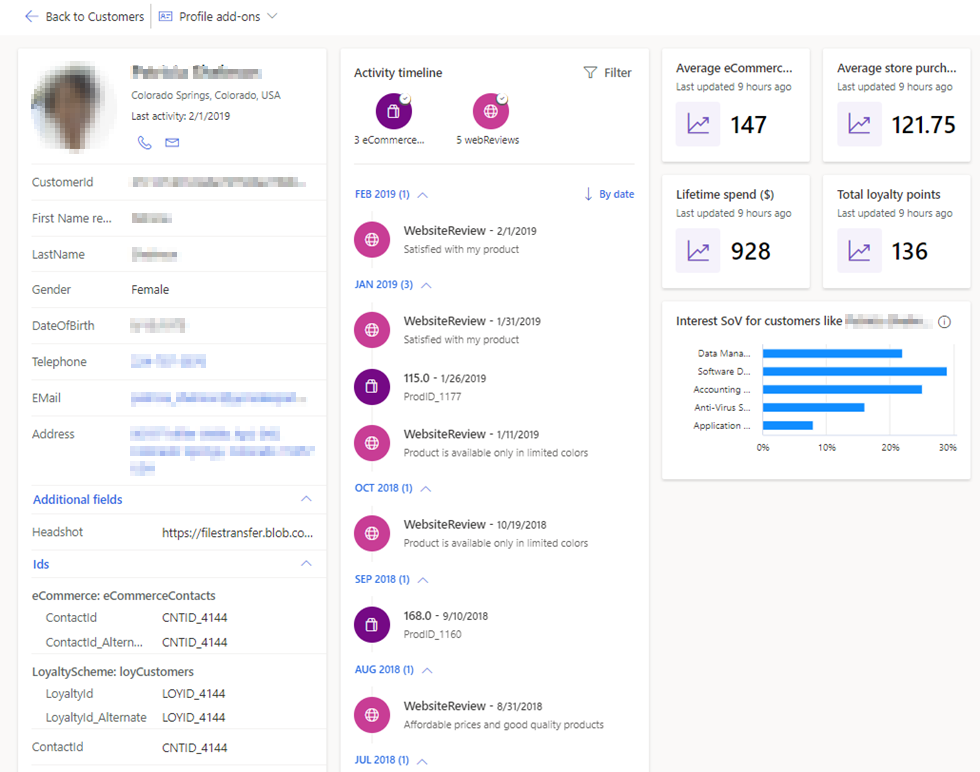
One customer. More of the picture.
Bring supported customer records together and see configured activities and measures in a shared profile.
Understand the relationship beyond a single list or system.
Feature details
- Unify records using agreed matching rules.
- Add customer measures and relevant enrichment.
- Use insights in supported connected applications.
 Enlarge screenshot
Customer Insights – Data
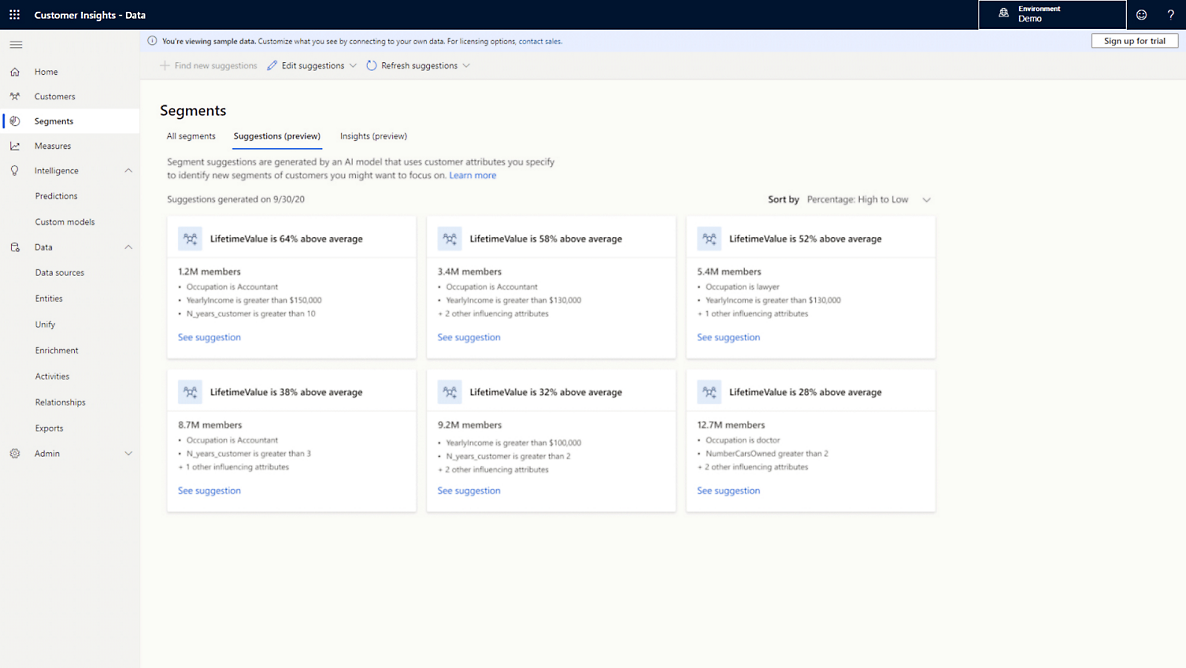
Reach the people the message is for.
Define segments using customer attributes, behaviour and measures, then use them in connected engagement processes.
Make audience selection deliberate and easier to explain.
Feature details
- Build segments around a business question.
- Check the customer records behind the audience.
 Enlarge screenshot
Customer Insights – Journeys
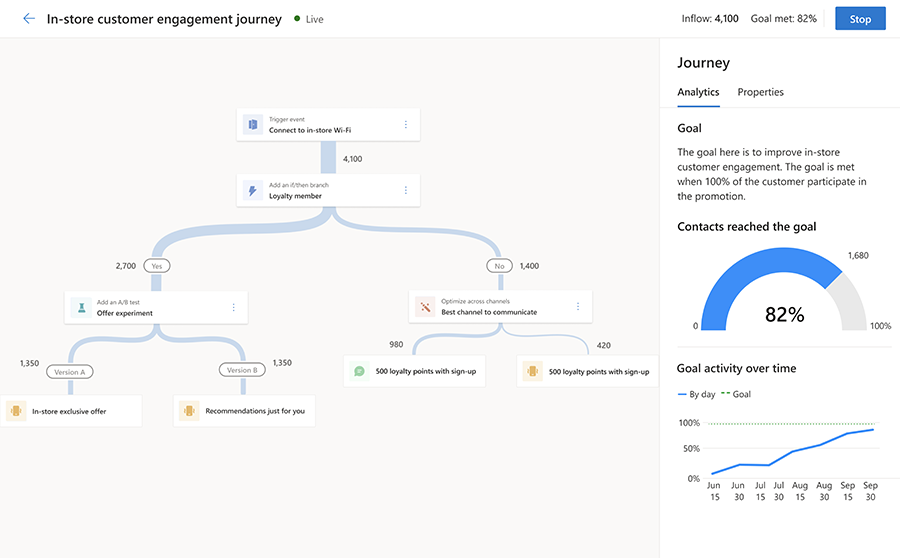
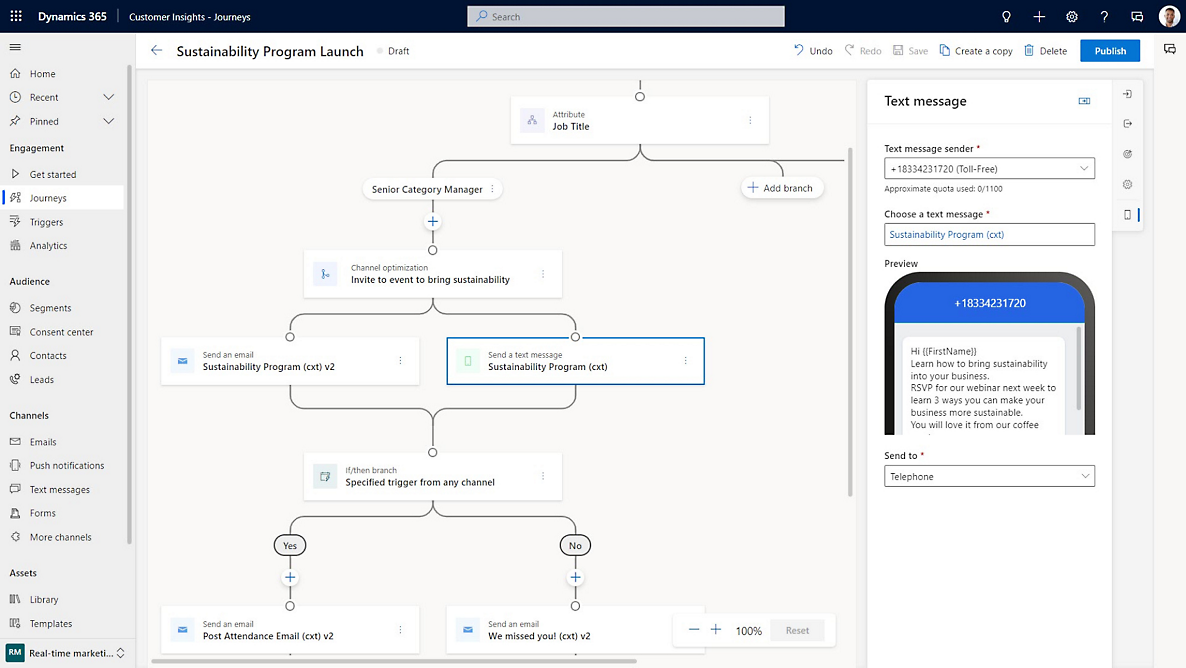
A next step shaped by customer activity.
Build trigger-based or segment-based journeys with conditions, timing and the channels configured for your business.
Respond to an enquiry or an action with a relevant follow-up.
Feature details
- Coordinate email, SMS and push channels as configured.
- Use branching and timing to shape the next step.
 Enlarge screenshot
Customer Insights – Journeys
Give the message the right context.
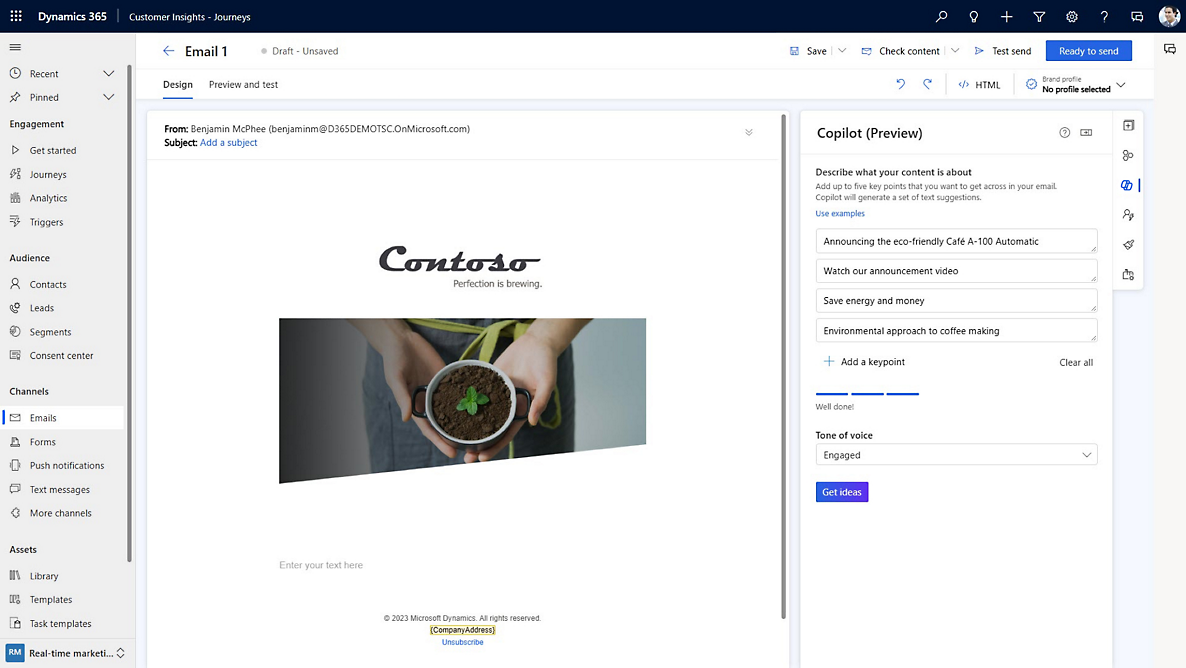
Create emails that reflect your brand and use customer information to personalise the content.
Keep communications relevant to the audience and relationship.
Feature details
- Build content with reusable layouts and personalisation.
- Review content and audience before sending.
 Enlarge screenshot

From interest to a conversation
Keep the human side of the journey.
Someone has registered, asked a question or shown interest. Decide what a helpful next step looks like, and give your teams the context to follow through.
Marketing forms
Capture enquiries or registrations and use submissions to create or update relevant records.
Connect website interest to a planned follow-up.
Events and registrations
Manage registrations and build communications around events, including confirmations, reminders and follow-up.
Keep the event conversation connected before and after attendance.
Consent and preferences
Manage channel consent, communication purposes and topics, with preference centre options.
Respect the communication choices customers make.
Lead nurturing and scoring
Develop interest over time and use agreed scoring and qualification rules to support sales handoff.
Help sales understand which leads need attention and why.
A closer look
More ways to make it useful.
Explore the capabilities behind the screens, including where data and configuration matter.
Predictive insights: when are they useful?
Models can support scenarios such as churn, customer lifetime value and product recommendations. Their usefulness depends on the available history, sufficient eligible data and the business model. They are not a starting requirement for every organisation.
Testing and measurement
Compare message or channel variations with A/B tests and review journey engagement. Use the results to refine the next journey. Small audience volumes can make test results inconclusive.
Copilot assistance
Copilot can assist with tasks such as content creation, segment definition and journey design. People still review the result, the audience and the communication before use. Availability depends on the feature, environment and applicable requirements.
Source connections, matching rules and data quality need planning. Some enrichment providers require separate subscriptions. Channel providers, capacity and licensing need review. Consent tools support your processes; your organisation remains responsible for its legal obligations.
Take it further.
Explore the related solutions and services that support this work.

Customer Data and Insights
Explore how connected customer information supports better decisions.
Related solutions
Marketing Automation and Customer Journeys
See how relevant communications fit into the wider customer journey.
Related solutions
System Integration
Consider the systems and data connections behind the customer view.
Related solutionsQuestions & next steps.
How Nemely can help
Before you start
- Identify the first customer journey and its purpose.
- Review source data quality, identifiers and communication preferences.
- Confirm Data and Journeys needs, capacity and channel setup.
Product questions
Is Customer Insights only marketing automation?
No. Customer Insights – Journeys provides journey orchestration, while Customer Insights – Data brings together customer data and insights. The right starting point depends on your needs.
Can it connect marketing activity with Dynamics 365 Sales?
The applications can support connected lead and customer engagement processes. Data mapping, handoff rules and the agreed configuration determine how that works.
Do we need all our data connected before starting?
Start by defining a useful audience or journey and the data it needs. A scoped first use case helps clarify the wider data and integration requirements.