
Dynamics 365 Customer Engagement
Microsoft Dynamics 365 Field ServiceSend people into the field prepared.
Connect work orders, scheduling and the information technicians need on site. Dynamics 365 Field Service helps organisations coordinate service visits and maintain a clearer history of customer assets.

A few organizations we've worked with























Features & benefits
Plan the visit. Support the work on site.
Dynamics 365 Field Service is an application for planning and delivering on-site service. It combines work order management, resource scheduling, mobile working and asset-related information.
Microsoft Dynamics 365 Field Service
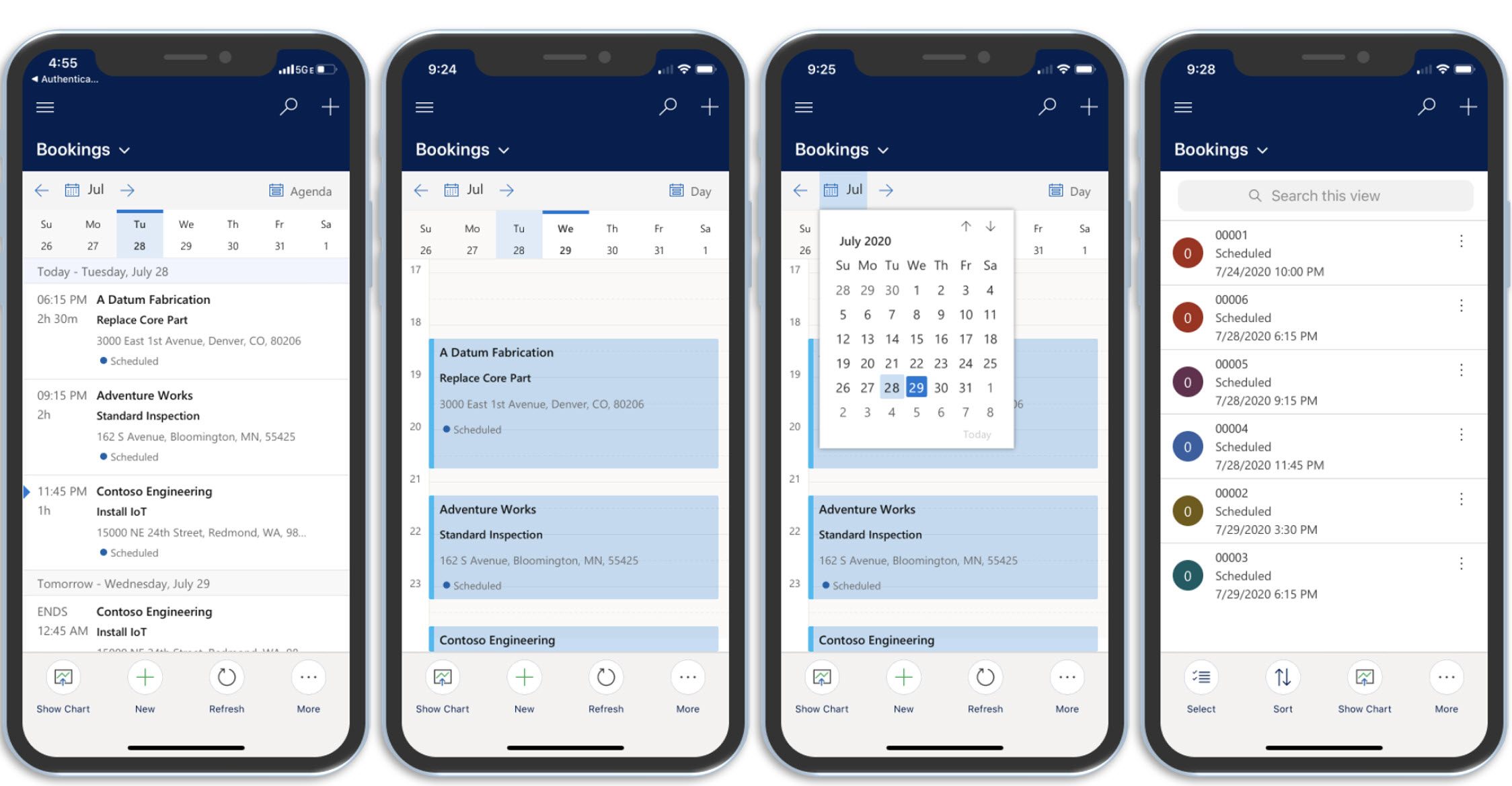
Technician mobile working
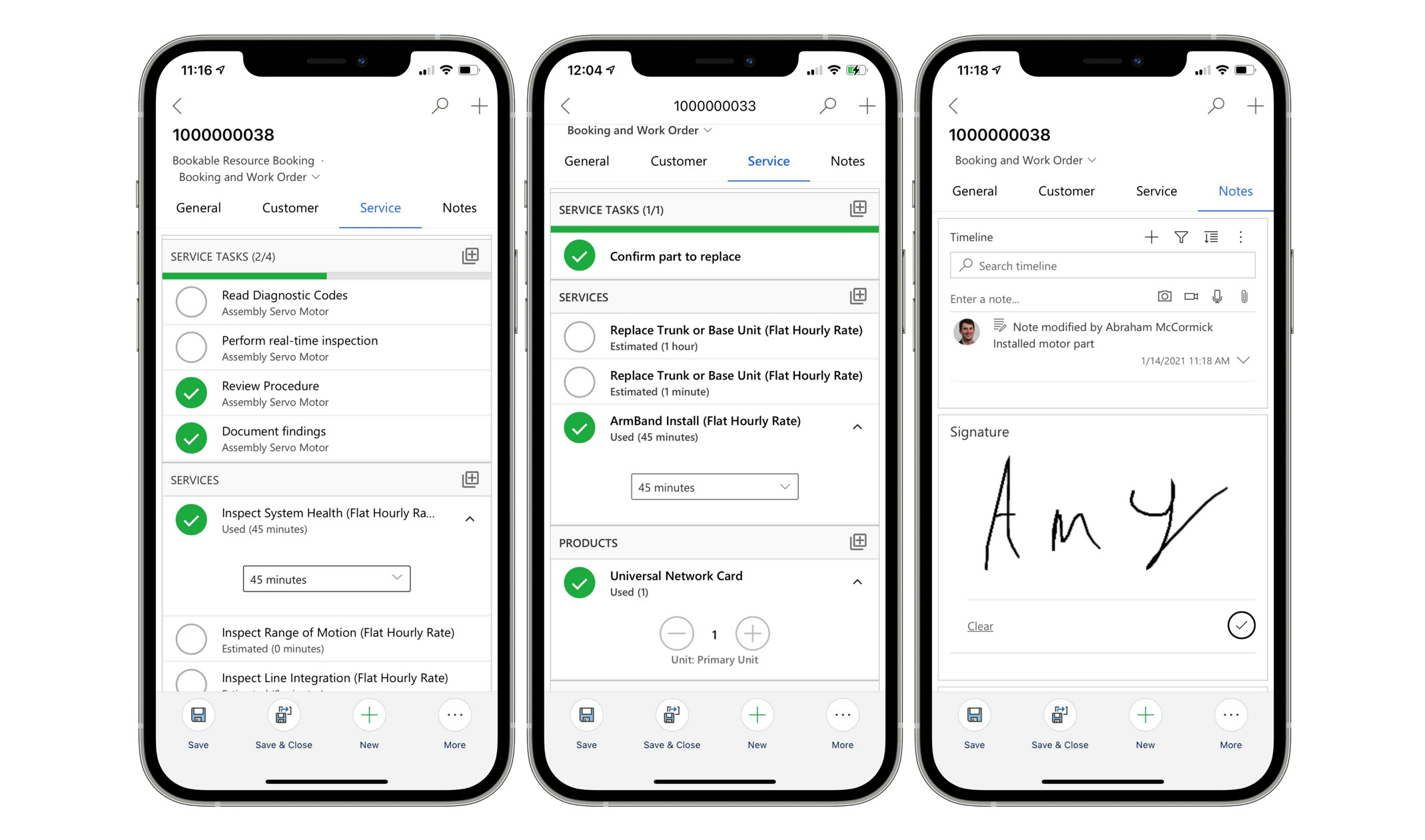
Provide a mobile experience for reviewing and updating field work.
Keep records closer to where service happens.
Feature details
- View assigned jobs and customer locations.
- Choose the mobile experience and offline setup your work requires.
 Enlarge screenshot
Microsoft Dynamics 365 Field Service
Work order management
Capture the work, tasks, products and services required for a visit.
Make job requirements visible before dispatch.
Feature details
- Follow service tasks and record work completed.
- Capture parts used and supporting notes.
 Enlarge screenshot

From features to everyday work
Keep the office and the site connected.
A service visit depends on more than an appointment. The team needs the right skills, a clear job description and useful equipment history. Keep that preparation connected to the work completed on site.
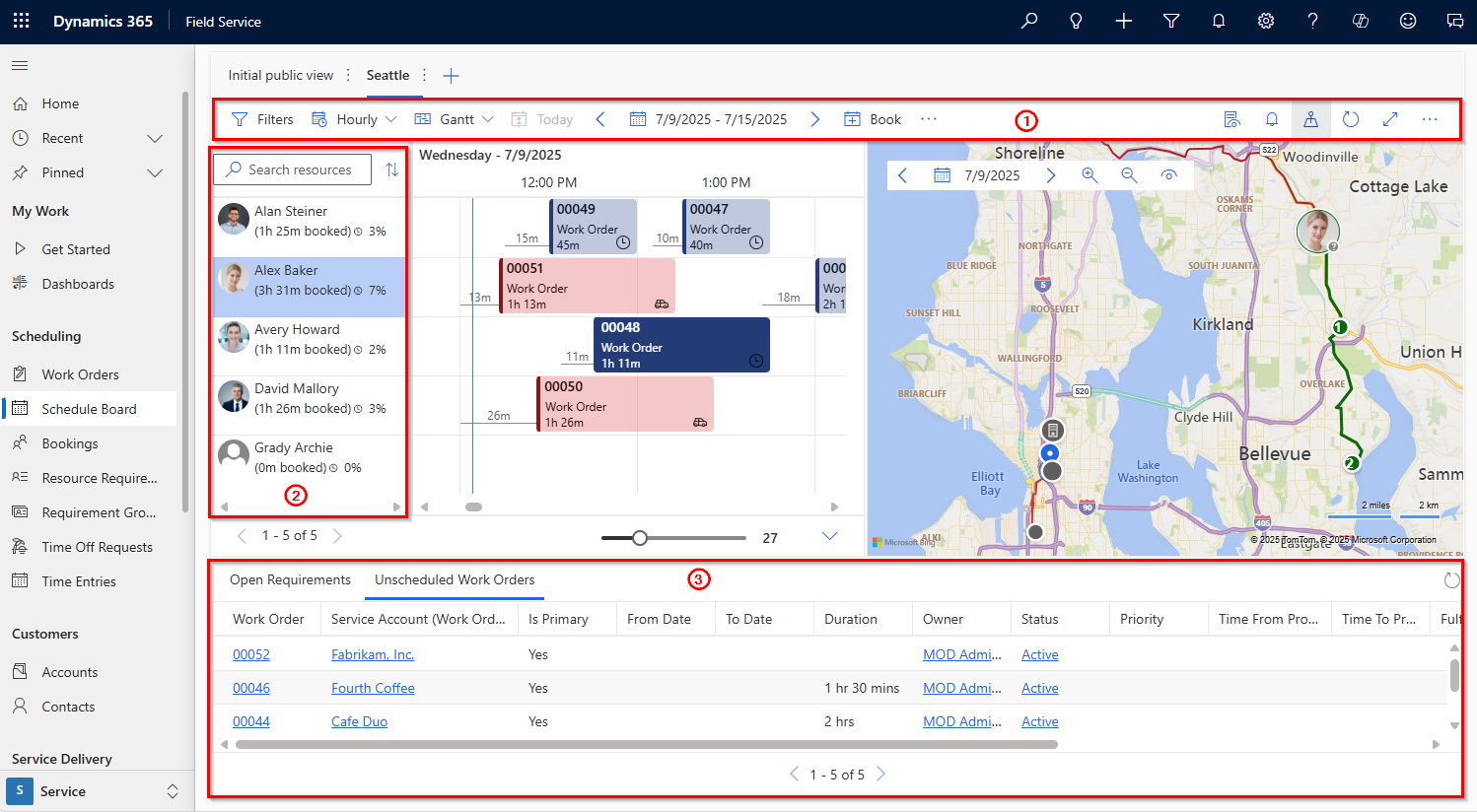
Resource scheduling
Use the schedule board and configured scheduling capabilities to plan resources.
Match work with availability and requirements.
Customer assets
Track customer equipment and its service history.
Give the next visit more context.
Service agreements
Support recurring maintenance through agreements and generated work orders.
Organise planned service alongside reactive work.
Service communication
Use configured appointment and service communication capabilities.
Help customers understand what happens next.
A closer look
More ways to make it useful.
Explore the capabilities behind the screens, including where data and configuration matter.
Offline working and inspections
The Unified Interface mobile app supports offline work after an administrator configures an offline profile. The refreshed mobile experience currently does not support offline working. Configure inspection templates for consistent service checks.
Parts, time and service records
Record parts used and time spent during a visit. Connect completed work with the agreed billing and inventory processes; the required integrations depend on your setup.
Scheduling optimisation, customer portals, messaging and connected services may require additional products, capacity or configuration. Offline mobile needs should be tested against the intended setup.
Take it further.
Explore the related solutions and services that support this work.
Field service solutions
Explore the people, planning and processes behind service delivery.
Related solutions
Asset and Contract Management
Connect service work with equipment, agreements and the customer relationship.
Related solutions
System Integration
Consider the connections between field work and your other systems.
Related solutionsQuestions & next steps.
How Nemely can help
Before you start
- Map work types, territories, technician skills and scheduling rules.
- Review asset records, service agreements and mobile requirements.
- Identify financial, stock and customer-system integrations.
Product questions
Can it support both planned and reactive maintenance?
Yes. Field Service supports reactive work orders and agreement-based recurring service. The work types and scheduling rules should reflect your operation.
Is Field Service only a scheduling tool?
No. Scheduling is part of a wider application covering work orders, mobile work, customer assets and service agreements.
Will it replace our finance or stock system?
That depends on the wider solution. Financial and inventory data flows should be designed around your existing systems and the deployment you choose.