
Nemely — CRM starts with us.

What are you looking for?

Browse all pages

A Nemely product

Built on Microsoft. Developed by Nemely.

Nemely Essentials. Know your customers. Move every opportunity forward.

Nemely Essentials is a CRM application for small and midsized businesses, developed by Nemely on Microsoft Power Platform. Bring customer records, follow-up, sales opportunities and quotations together so your team can see the relationship and the next step.
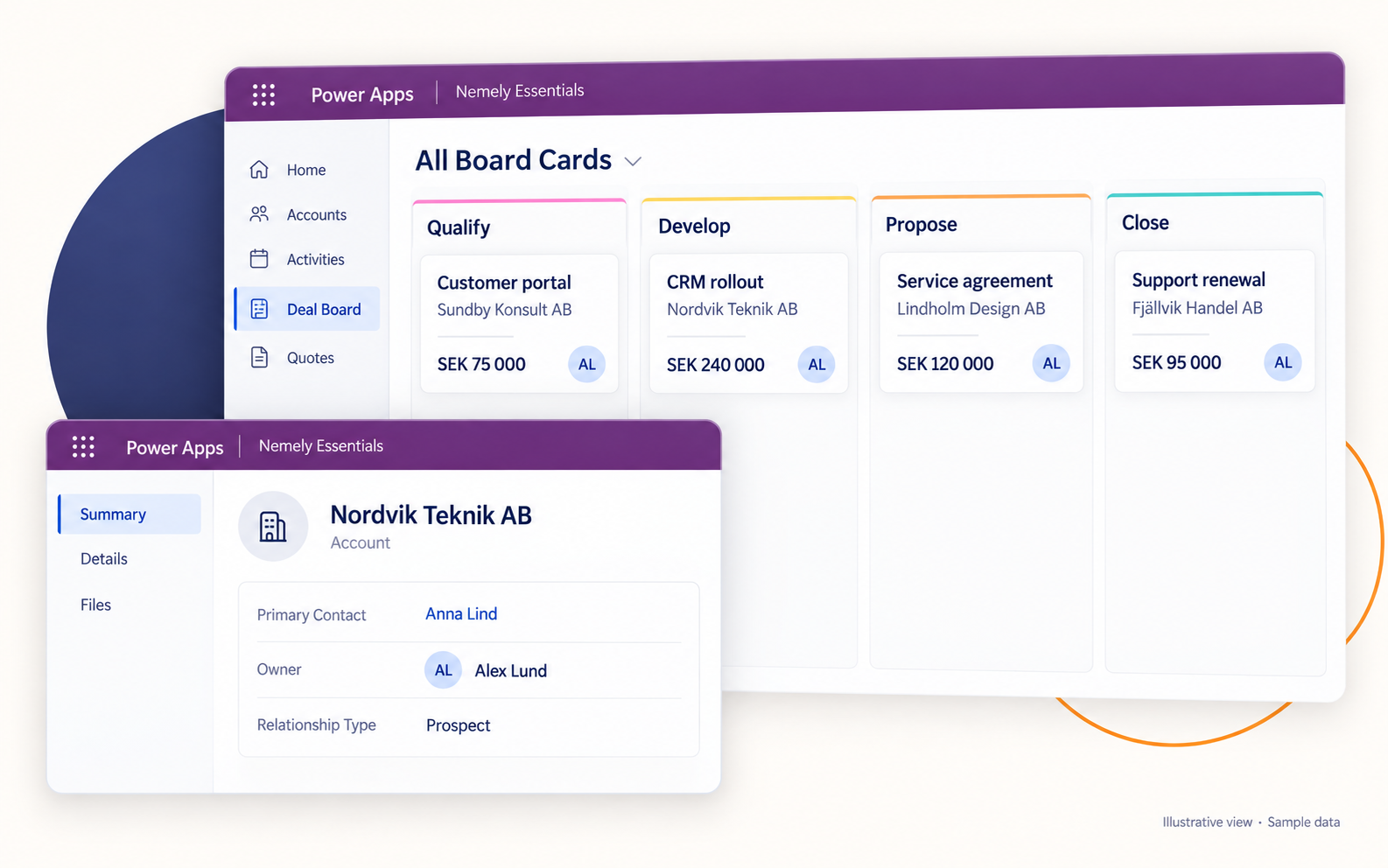
Nemely Essentials illustration combining a sales Deal Board and a customer record with fictional example dataView full size
Nemely Essentials illustrative view. Fictional example data. Configuration may vary.

A few organizations we've worked with

The product, in practice.

Know the customer, plan the follow-up and move the sale forward. Choose a view to see Essentials at work.

Customer relationships
Pick up the conversation.

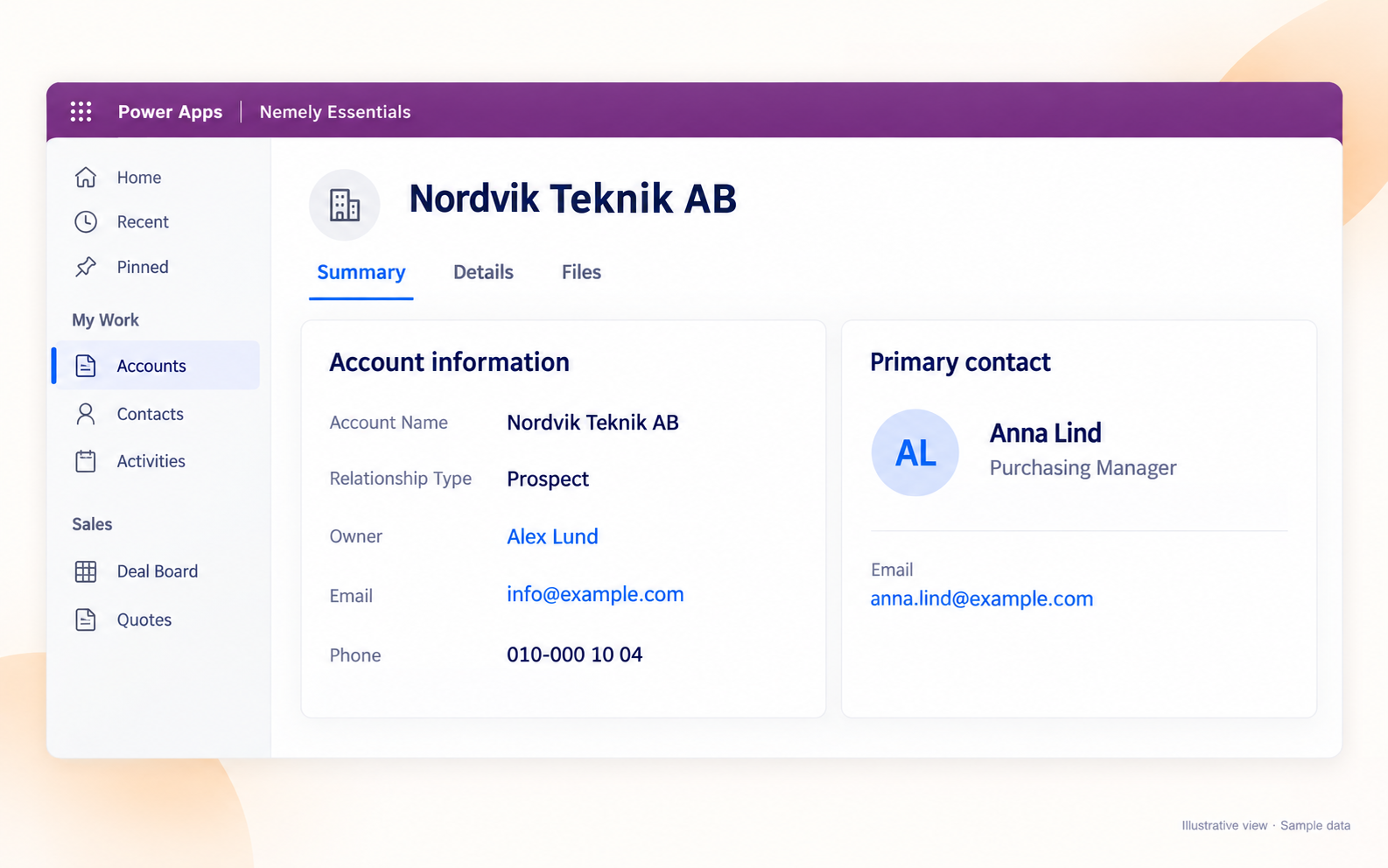
Simplified Nemely Essentials customer record showing fictional Nordvik Teknik AB and primary contact Anna LindView full size
Nemely Essentials illustrative customer record. Fictional example data. Configuration may vary.

Keep companies, contacts and relationship history together. Pick up the next conversation with the context already in place.

Customer follow-up
Give the next step an owner.

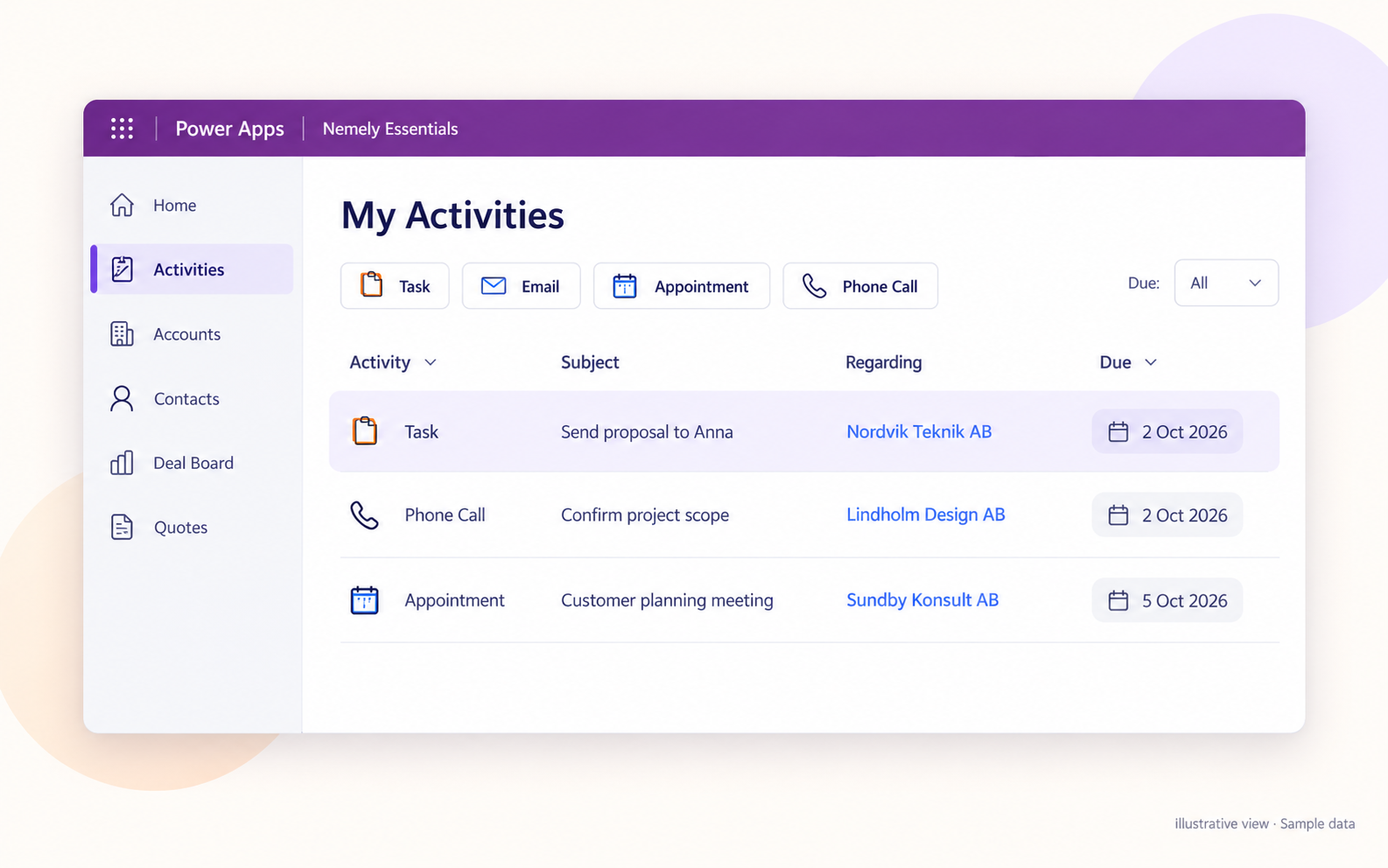
Nemely Essentials activity-list illustration with a proposal task, a phone call and a customer meeting linked to fictional accountsView full size
Nemely Essentials illustrative activity list. Fictional example data. Configuration may vary.

Connect tasks, calls and meetings to the customer. See what is due, who owns it and what happens next.

Sales pipeline
See where every deal stands.

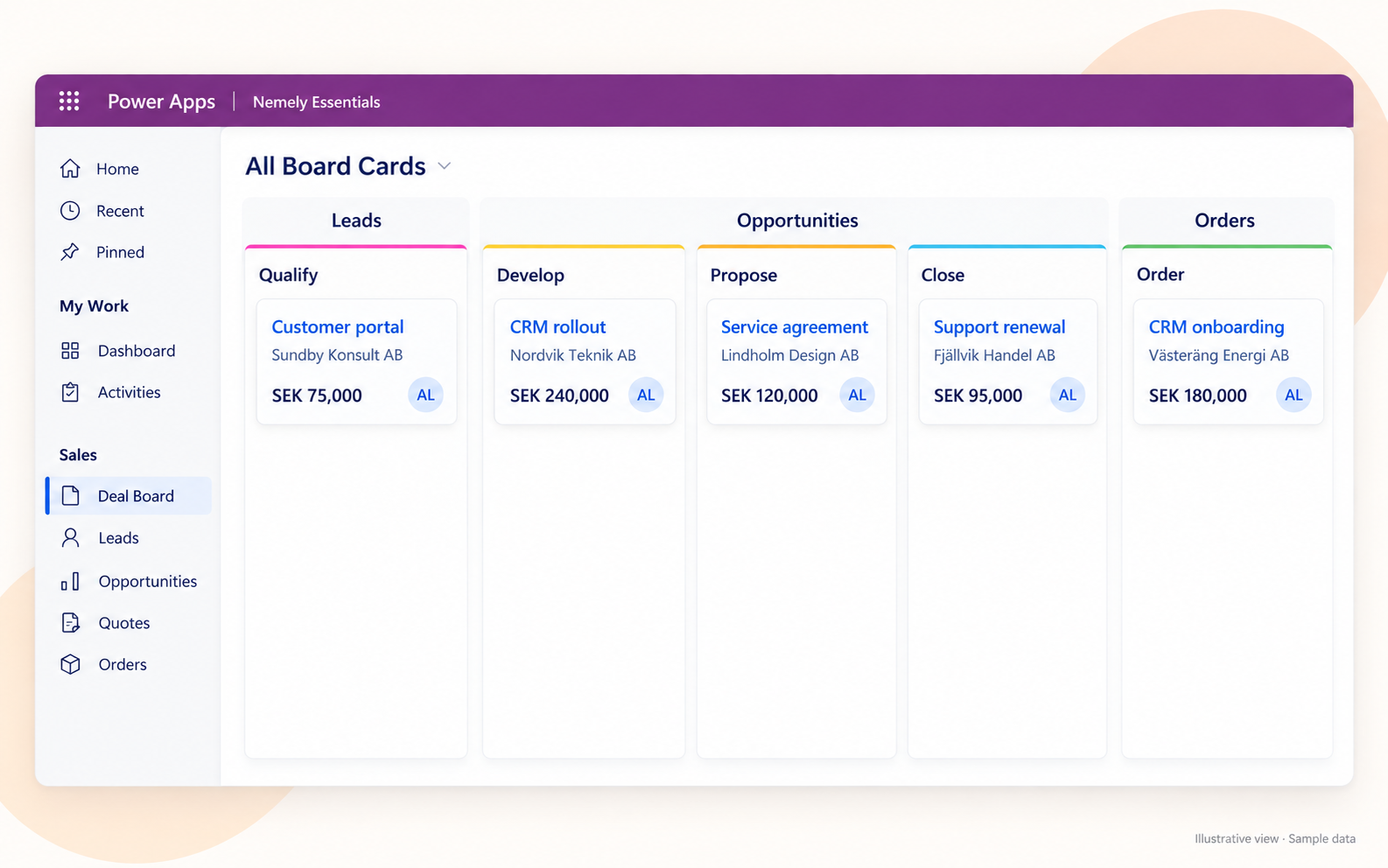
Nemely Essentials Deal Board illustration with fictional opportunities across Qualify, Develop, Propose, Close and OrderView full size
Nemely Essentials illustrative Deal Board. Fictional example data and deal values. Configuration may vary.

See each deal’s stage, owner and value in the Deal Board. Open the record when you need the detail.

Quotations
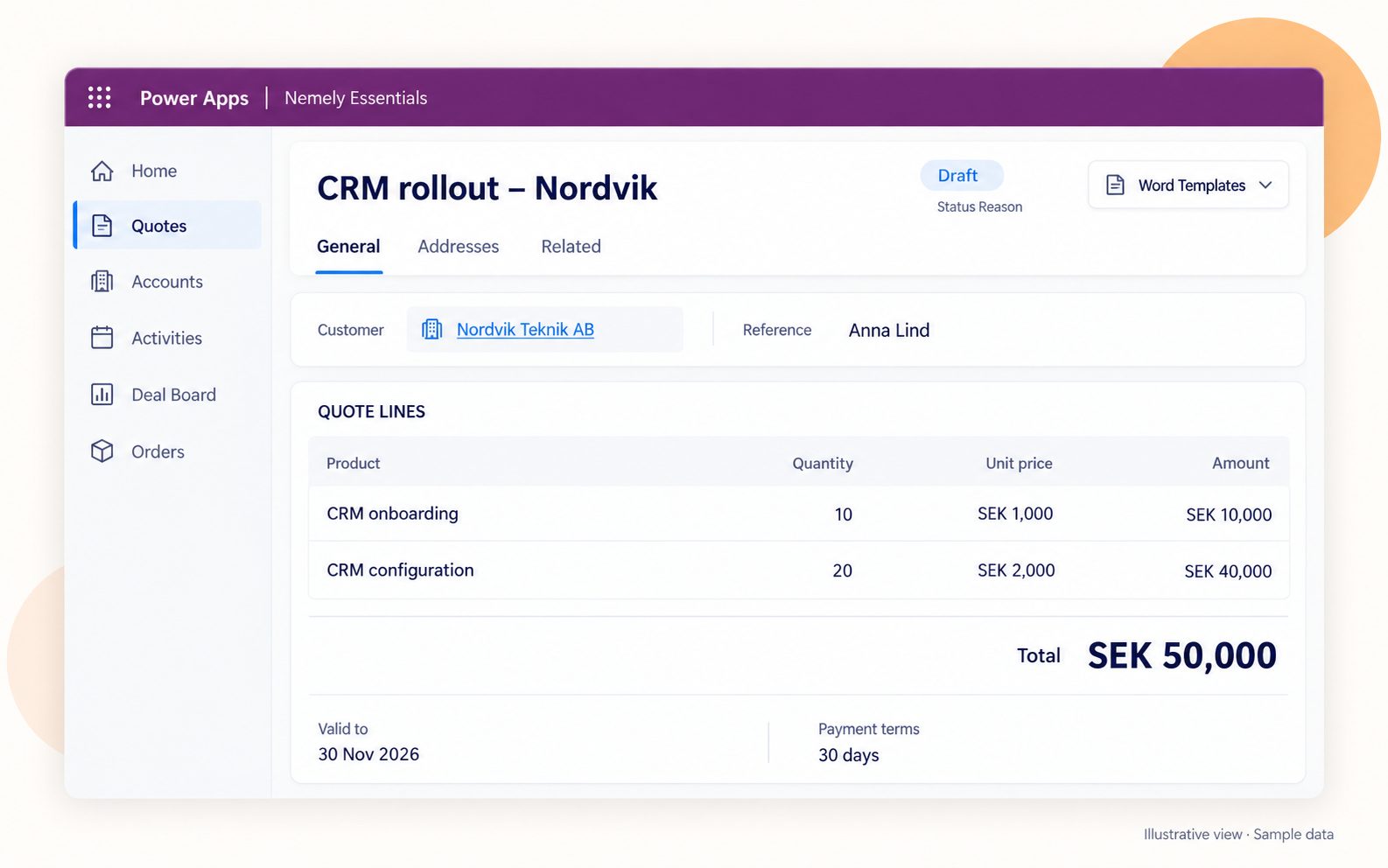
Bring the offer together.

Simplified Nemely Essentials quotation illustration with two fictional service lines and an example total of SEK 50,000View full size
Nemely Essentials illustrative quotation. Fictional example data, not product pricing. Configuration may vary.

Prepare quotations with products, quantities and prices close at hand. Keep the offer connected to the opportunity.

Sales overview
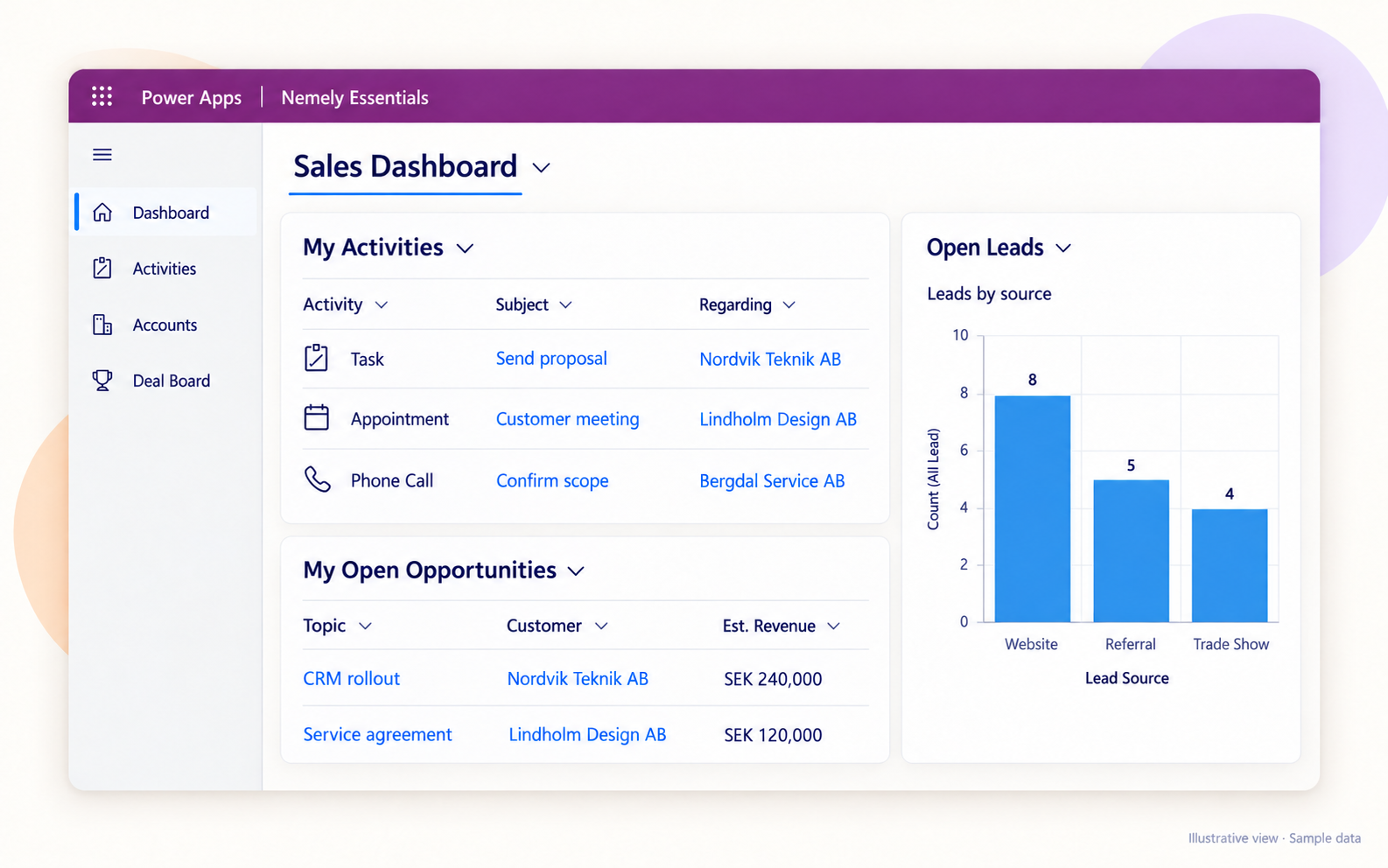
Start with a shared picture.

Stylized Nemely Essentials Sales Dashboard showing fictional activities, leads by source and open opportunitiesView full size
Nemely Essentials illustrative sales overview. Fictional example data. Configuration may vary.

Bring activities, leads and opportunities into a shared view. Use current records to focus the next team review.

From conversation to commitment

Turn the conversation into a clear offer.

Bring the customer, products and commercial details into the quotation. Keep the offer connected to the opportunity so the next person can pick it up.

Orders and project records carry the agreed work forward, with handovers configured around your team.

Simplified Nemely Essentials quotation illustration with two fictional service lines and an example total of SEK 50,000View full size
Nemely Essentials illustrative quotation. Fictional example data, not product pricing. Configuration may vary.
Stylized Nemely Essentials Sales Dashboard showing fictional activities, leads by source and open opportunitiesView full size
Nemely Essentials illustrative sales overview. Fictional example data. Configuration may vary.

What it adds

See what needs your attention.

Prepare for the conversation

Find the customer history and relevant contacts in one place.

Keep follow-up visible

See current activities, ownership and the next action.

Focus the sales review

Use current leads and opportunities to guide the discussion.

Explore more product detail

What you can do with Nemely Essentials

The customer and sales tools your team works with daily.

Explore six areas of customer and sales work. In the demo, we show the relevant capabilities and distinguish the selected product scope from configuration, integrations and implementation work.

Manage customers and contactsKeep the company, the people and the relationship history together.
  • Account records bring company and contact details together with associated contacts and a primary contact.
  • Link individual contacts to the opportunities they are involved in, so colleagues can find the commercial context.
  • Use search, customer timelines and maintained records to prepare for conversations and continue a colleague’s work.
Keep follow-up connectedGive each customer commitment a clear owner and a useful place in the history.
  • Record notes and visit reports in the customer timeline, keeping the discussion available to the team.
  • Assign activities to users and review the sequence using appointment dates, due dates and email sent dates where available.
  • Connect task work with Outlook through the agreed mailbox and synchronization setup, with completion available in either application.
Progress leads and sales opportunitiesGive the team a shared sales pipeline and practical guidance at each stage.
  • Capture leads, qualify potential business and create opportunities with customer context and an accountable owner.
  • Maintain estimated value, probability, expected close date and commercial details, then record won or lost outcomes.
  • Use the Deal Board to see cards by sales stage, filter the workload and open the relevant record.
  • Support your process with stage guidance, activity assignments and checklists configured around the decisions your sellers need to make.
Prepare quotations in contextKeep the offer connected to the customer discussion and commercial information.
  • Work with quotations and quote lines alongside opportunities, products and price-list information.
  • Agree the quantity, pricing and validation rules your sellers need to prepare consistent offers.
  • Extend offer preparation with a configured GetAccept connection where required, with document templates and the customer-facing offer process defined in scope.
Connect orders and project handoverCarry the agreed sale into the next stage with the relevant context intact.
  • Relate order and project records to the opportunity so teams can trace the commitment back to the sale.
  • Organize delivery-related work in the project area and Project Board while retaining the shared customer context.
  • Use assigned activities and agreed stage checks to make ownership and handover expectations clear.
Bring products and documents into the workflowHelp people find the information behind the conversation and the offer.
  • Organize commercial product information with products, price lists, bundles and families, adapting the data structure where needed.
  • Prepare customer, contact and product data for import with agreed field mappings and checks.
  • Access relevant files from customer and opportunity records, with SharePoint document access configured for the required records and permissions.

One customer commitment, from start to finish

Carry the customer context into the next stage.

A won sale is the start of the next commitment. Essentials includes quotation, order and project areas that help keep agreed work connected to the customer. We configure the handover around your responsibilities, documents and next actions.

  1. Capture and qualify

    Connect the enquiry to the customer and contact, assign an owner and establish the next step.

  2. Progress and quote

    Maintain the opportunity, review its stage and prepare an offer using the agreed product and pricing process.

  3. Agree and hand over

    Carry the customer and commercial context into the configured order or project flow.

Developed by Nemely on Microsoft

A Microsoft foundation shaped around your customer work.

Developed by Nemely on Microsoft Power Platform and Dataverse, Essentials gives your customer and sales processes a shared foundation. We agree the edition, records, fields and sales stages around the way your team works.

Connect the tools your workflow needs. Outlook, SharePoint and GetAccept connections depend on the agreed setup. Business Central use cases are scoped separately, including which system owns the information and how updates are handled.

The proposal separates product and platform licensing from configuration, data preparation, integrations, testing and adoption support. We agree the work and acceptance criteria around a priority workflow before rollout.

Product, platform and integration overview
Nemely Essentials

Nemely customer and sales tools

  • Customers, activities and sales pipeline
  • Quotations, orders and handovers

Microsoft foundation

  • Power Platform and Dataverse
  • Configured records and business processes

Connections in your scope

  • Outlook and SharePoint
  • GetAccept and Business Central use cases

Illustrative product architecture. Integrations, included components and licensing are confirmed for your selected edition and implementation.

FAQs

Is Essentials the right fit for your team?

Use the demo to explore a customer record, sales opportunity and quotation or handover. We will discuss your existing tools, required connections and the work needed to get started.

Who is Nemely Essentials for?

Nemely Essentials is for small and midsized businesses that need shared customer and contact records, organised follow-up, a visible sales pipeline and quotation management. Sales teams and CRM managers can assess the fit in a demo using their own customer workflow and existing systems.

How should we compare Essentials with Click CRM?

Nemely Essentials is developed by Nemely; Click CRM is developed by Click and implemented by Nemely. Both use Microsoft Power Platform. We compare them against your customer and sales workflow, handover needs, required connections and existing Microsoft setup. The demo helps you assess the product fit and the configuration and subscriptions each option needs.

Explore Click CRM

Is Nemely Essentials a Nemely product or a Microsoft application?

Nemely Essentials is developed by Nemely on Microsoft Power Platform and Dataverse. Nemely provides the customer and sales application and helps configure it for your business; Microsoft supplies the underlying application and data platform. We confirm the required Microsoft licensing as part of the proposed solution.

Can we manage quotations and hand the sale over to delivery?

Yes. Nemely Essentials includes quotation, order and project areas connected with the sales workflow. The Deal Board supports sales visibility; the Project Board organises delivery-related work. We agree pricing rules, documents, transitions and handover checks, including the responsibilities retained in your ERP or other delivery systems.

Can Essentials connect with Outlook, SharePoint and Business Central?

Connections are scoped for your environment. Outlook task synchronization needs agreed mailbox setup, activity types and sync rules. SharePoint document access needs defined records, folders, permissions and Nemely components. Business Central quotation integration is a use case to assess, with record ownership, data direction, timing and exception handling agreed. GetAccept can also be scoped for offer documents and templates. Included connections and any Microsoft or third-party licensing are confirmed in your proposal.

How Nemely plans system integrations

What does getting started involve?

We agree the product edition and platform licensing, then scope configuration, data preparation, integrations, testing and adoption support. The proposal makes those elements clear, including the included components, acceptance criteria and any third-party licensing. Timing depends on the agreed first-release scope, data readiness and your team’s availability for decisions, testing and training.

Product image viewer

Choose 100% to inspect the detail, then scroll to explore the image.

Your next step

Bring a customer journey and see how Essentials fits.

Show us how an enquiry becomes a conversation, an offer and a handover in your business. We will walk through the relevant Essentials views and discuss the scope, connections and support your team needs to get started.

Book an Essentials demo

Stefan Christiansson, CEO & Solutions Architect at Nemely, beside a blue-framed window with a city backdrop
Stefan ChristianssonCEO & Solutions Architect

Get resource
























