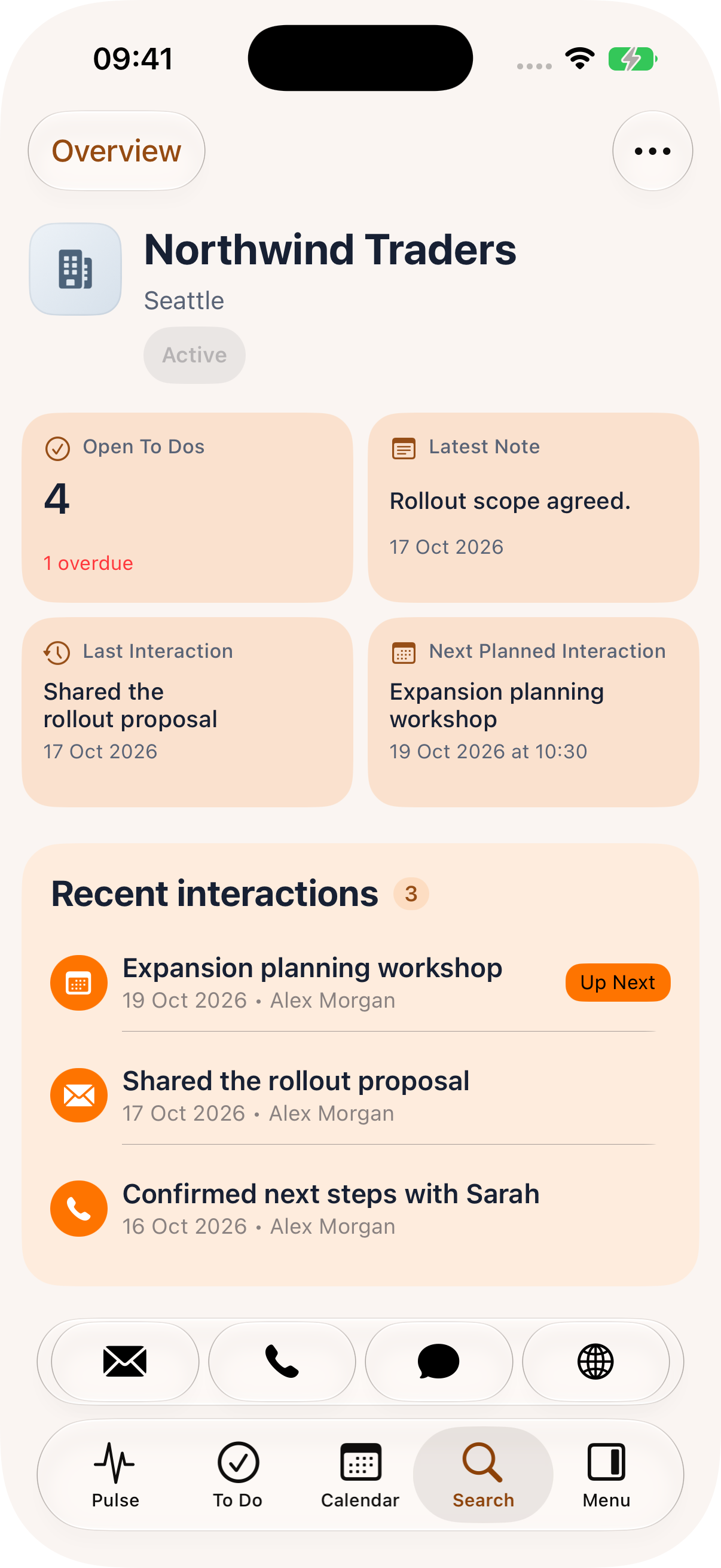
01 / iPhone
Ready for the next conversation.
Check recent interactions, open work and the next meeting in a focused phone view. Keep the customer story close wherever the day takes you.
Your mobile workspace for Microsoft Dynamics 365. Customer context, Pulse AI and your next action—together, wherever your day takes you.
Built for teams using Microsoft Dynamics 365.
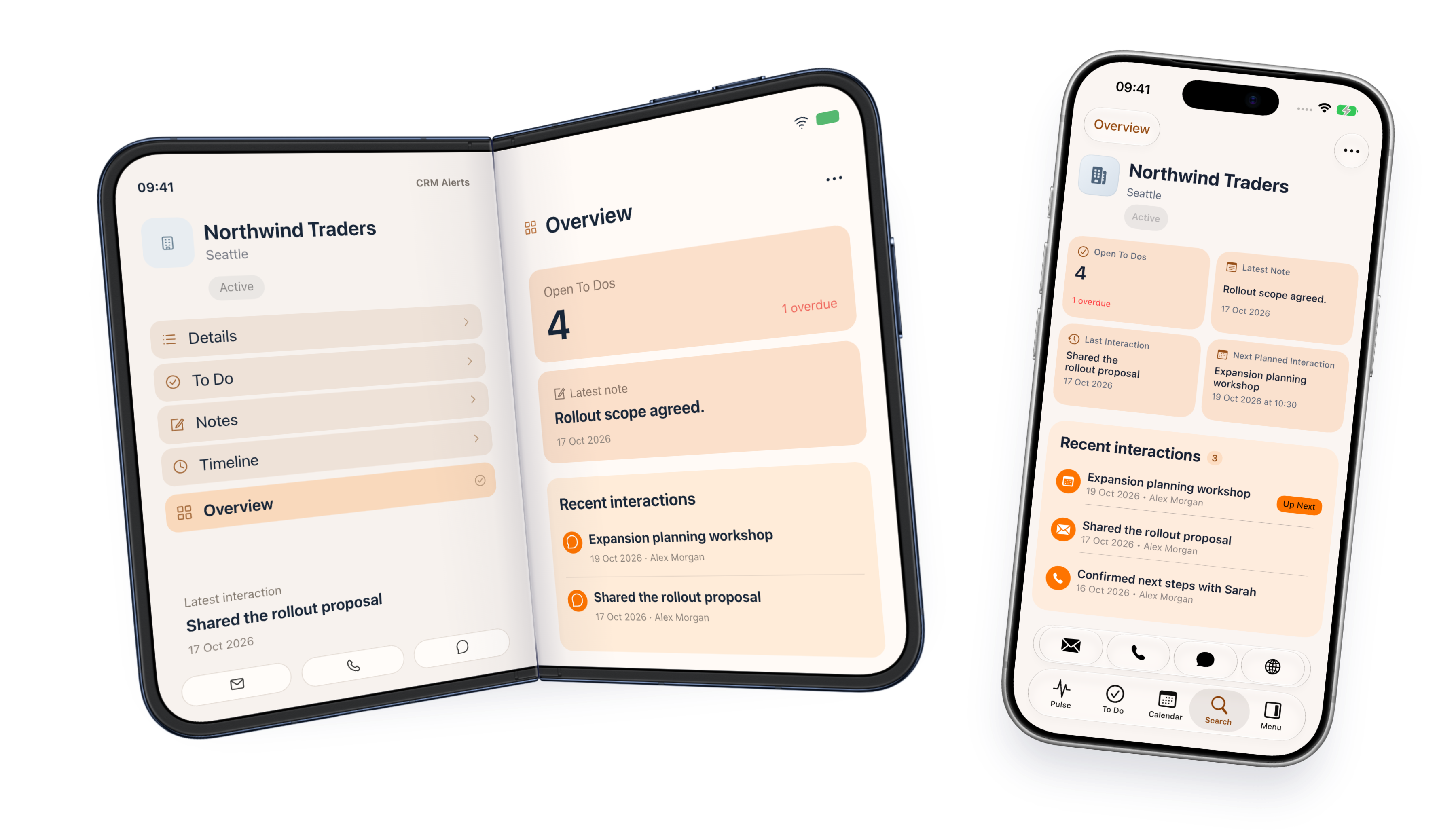
One app. Room to work.
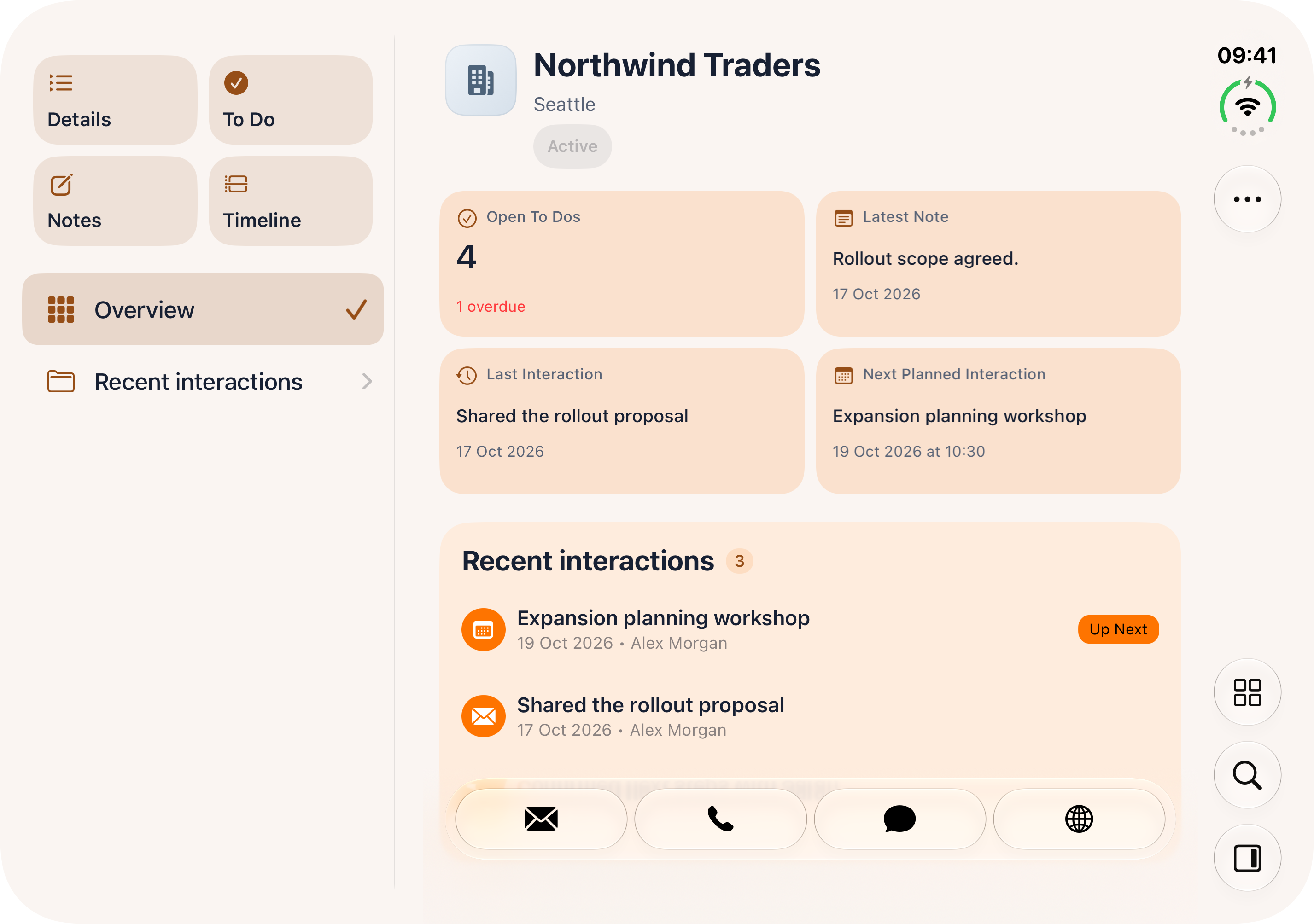
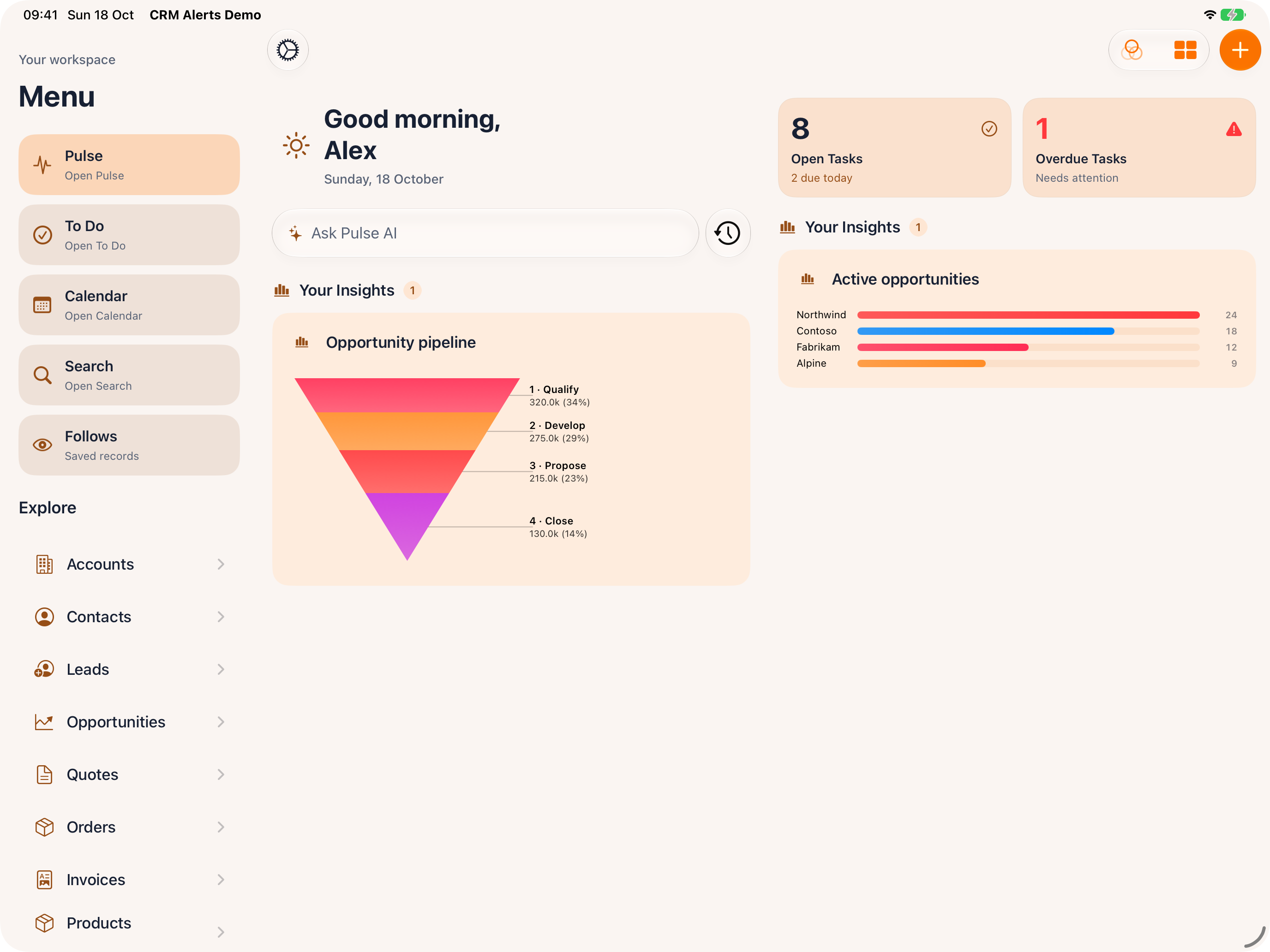
A quick check or a bigger picture. Explore CRM Alerts on iPhone and iPad, alongside a two-pane Duo layout preview.
Check recent interactions, open work and the next meeting in a focused phone view. Keep the customer story close wherever the day takes you.
Preview the expanded Duo layout, with record sections beside customer information. Move through the details while the relationship stays in view.
Keep navigation, task indicators, Pulse AI and a broader dashboard together. Give a customer review or planning session a little more room.
iPhone and iPad show actual CRM Alerts sample screens. Duo is an illustrative two-pane layout preview using the same sample customer information.
New release. Familiar customer work.
Your customers. Your conversations. The next thing that needs your attention. Bring them together in a workspace built to go with you.
A closer look at CRM Alerts
Choose a situation and explore the real app. The customer story stays close, wherever your next conversation takes you.
Before a meeting
See the latest note, recent interactions and open work before the conversation starts. Pick up the relationship with the context you need.
Meeting preparation brings together the agenda and loaded CRM activity, opportunities and cases. Request an AI brief and review which source information it covers.
When you need an answer
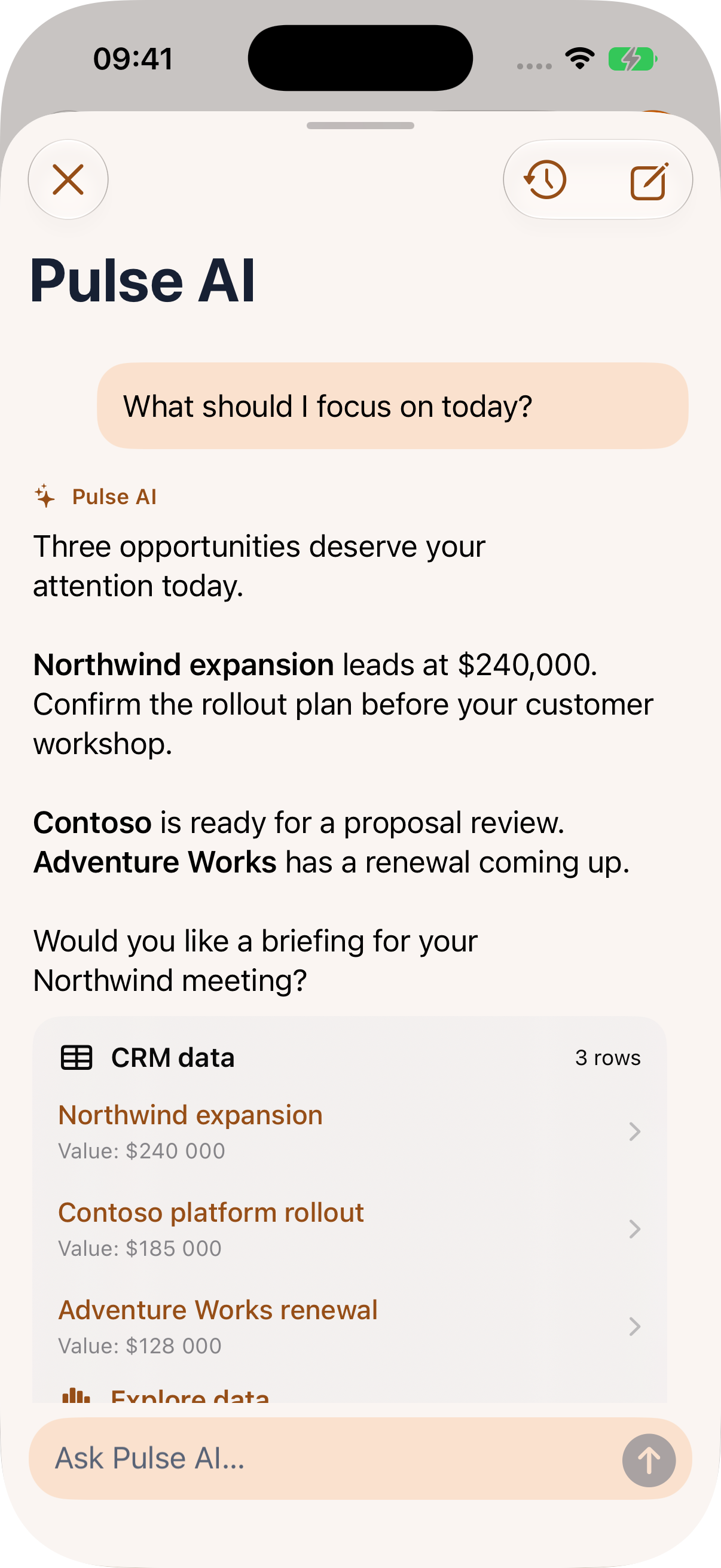
Ask Pulse AI about the opportunities that need attention. Open a relevant customer record, then prepare a note, follow-up task or supported update.
Pulse works with the records and tools your account can access. Changes follow your approval policy; the default asks you to review them. AI and voice availability depend on your setup.
After a conversation
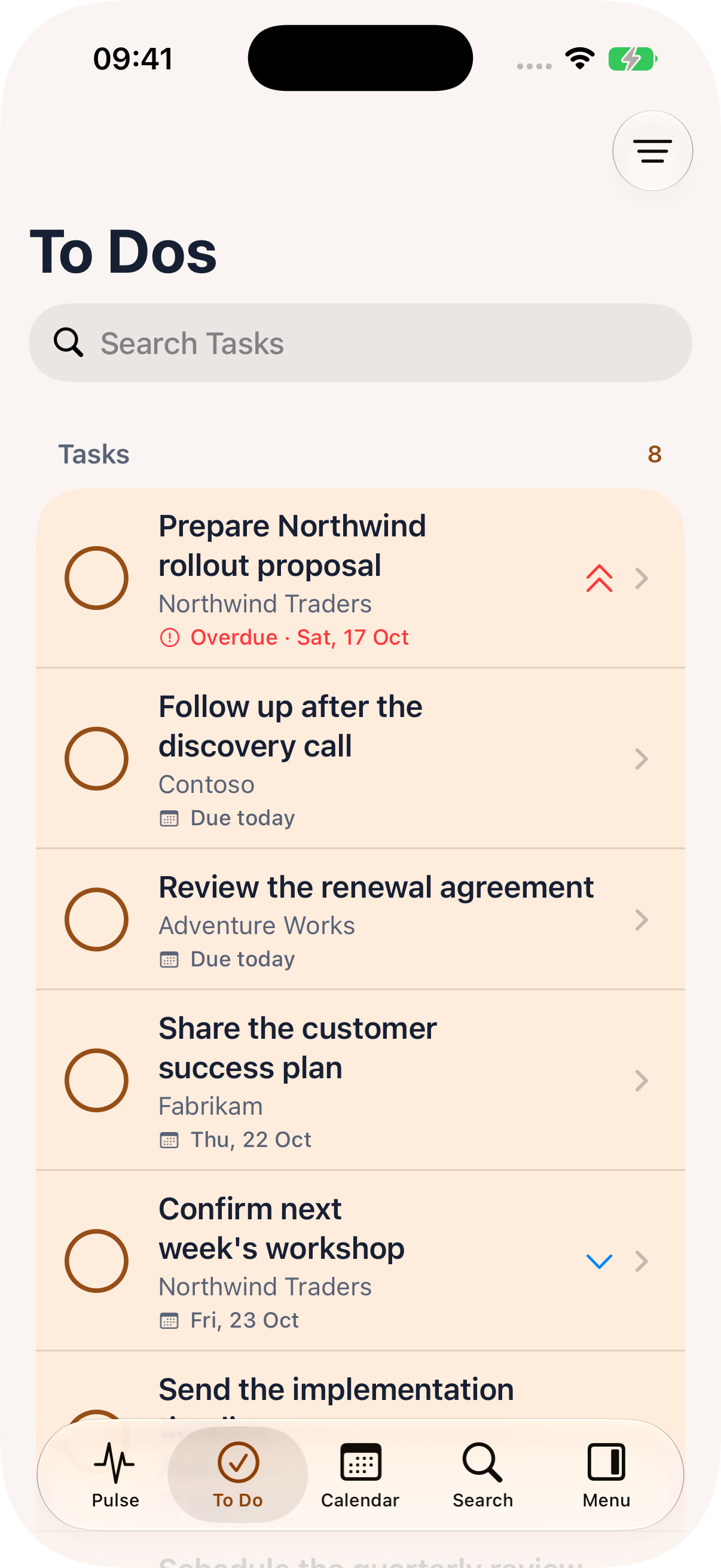
Create the follow-up task, log the call or capture what was agreed while it is fresh. Keep the action connected to the customer.
Your to-do list and linked CRM records help you return to the work that needs attention. Available actions follow your configured Dynamics 365 environment and permissions.
See it with Nemely
Tell us a little about your team and the customer work you want to make easier. We will explore the right workflows, setup and upgrade path with you.
Prefer to explore on your own?
Find CRM Alerts on the App Store
Welcome to your next working day
Ready to explore? Find CRM Alerts in the App Store. If you would like to see it with your team's Dynamics 365 setup, book a demo and bring us a customer journey you know well.
Designed for teams using Microsoft Dynamics 365. Features, supported devices and licensing depend on your setup.We are planning the Android release for late November 2026. Tell us about your team's devices when you request a demo, and we can discuss the rollout plan with you.
Before your next step
CRM Alerts is Nemely's mobile app for teams using Microsoft Dynamics 365. Version 5 brings a redesigned everyday workspace with Pulse AI, customer and meeting context, tasks, calendar and travel planning, and tools for working with CRM views and data.
Yes. CRM Alerts extends the Dynamics 365 environment you already use. Your records, configured tables and user permissions remain the foundation. Nemely can review the connections, feature availability and licensing needed for your chosen workflows.
Use the App Store link to find the app and review its current compatibility and version. Book a demo if you would like help assessing your Dynamics 365 setup, planning a team rollout or discussing an upgrade from an existing CRM Alerts version. Downloading the app does not establish your team's configuration or licensing.
The Android release is planned for late November 2026. You can request a demo now and tell us which Android devices and workflows your team would like to use. The expanded Duo display on this page is a layout preview; device support and availability will be confirmed separately.