
A name people recognise
Describe each profile in your organisation’s language, while keeping the underlying roles intact.
A Nemely product
For Microsoft Dynamics 365. Developed by Nemely.
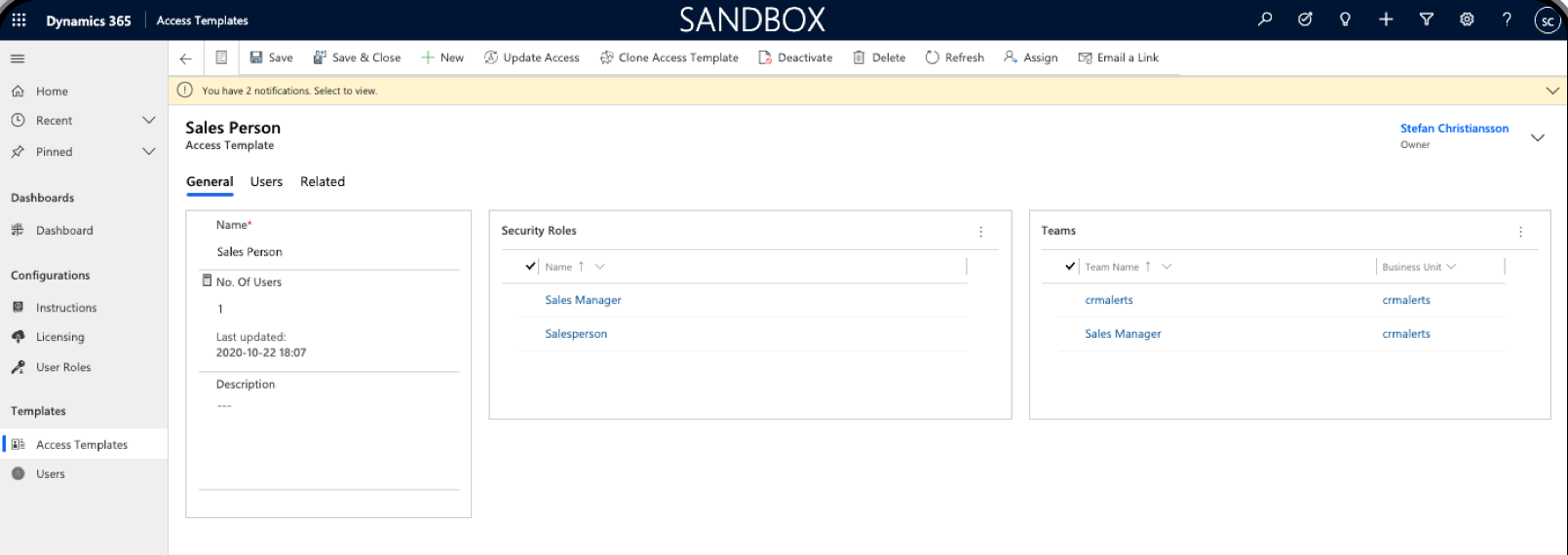
Access Templates is Nemely’s Dynamics 365 extension for CRM administrators managing user access. Combine security roles and team memberships into reusable profiles for each user category, then apply and maintain those assignments.
 View full size
























Choose a part of the model to see how a reusable profile brings the assignments together. These examples explain the setup behind the product.
Build the profile
Example role names explain the model. Your organisation defines the actual roles and privileges.
Group the security roles a user category needs into a named Access Template. Keep the flexibility of a layered model without asking an administrator to remember every combination.
The template uses your existing Dynamics 365 roles. Permissions still come from Dataverse and must be assessed alongside the user’s other assignments.
Connect the right teams
Example team names are illustrative. Actual access depends on the configured roles, teams and wider Dataverse security model.
Include the relevant teams in the same reusable profile as the security roles. A familiar business name gives administrators a clear starting point for the assignment.
Team membership works within your existing security design. Nemely reviews the team setup and the resulting data access with you.
Maintain the model
This is an example working routine, not an automatic approval workflow. Business-unit behaviour is confirmed for your setup.
Adjust a template when a user category needs a different combination, then reapply it to the relevant users.
When a user moves business unit, Access Templates supports automatic reassignment of the template’s security roles. We test that behaviour against your environment and existing assignments.
People change. Keep the setup manageable.
A new starter, a different responsibility, a move between business units. Each change asks the same question: which access does this person need?
Start with an agreed profile for the user category. Access Templates helps administrators apply and maintain that combination, with Dataverse continuing to control the permissions underneath.

What it adds
Describe each profile in your organisation’s language, while keeping the underlying roles intact.
Bring the agreed roles and teams together once, then apply the profile to the relevant colleagues.
Update and reapply the template as the needs of a user category change.
From your model to a working setup
Bring a recurring administration task to the demo. We can follow the profile, assignment and review together, then agree the configuration needed for your environment.
Review the roles, teams and business units involved in one familiar user category.
Demonstrate the agreed combination and how an administrator maintains it.
Check representative work and confirm the resulting access before rollout.
FAQs
Start with one user category and a change you handle often. The demo can show the profile and assignment process, with your security model and setup requirements in mind.
Access Templates is a Dynamics 365 extension developed by Nemely for CRM administrators who manage security roles and team memberships. It groups those assignments into reusable user profiles. Microsoft Dataverse continues to provide the underlying access controls.
No. Access Templates groups role and team assignments; it does not replace Dataverse security roles. Dataverse determines access through the complete security configuration. Permissions from multiple roles are cumulative, so all of a user’s assignments need to be reviewed together.
Access Templates supports automatic reassignment of the template’s security roles when a user moves business unit. We confirm the behaviour for your environment and test the change with representative users.
Book a demo with Nemely and describe your Dynamics 365 setup, user categories and main administration challenge. We confirm product pricing and any required Microsoft licensing, then agree the installation, configuration, testing and support included in your proposal.
We review existing security roles, team memberships, business units and the administrators who will maintain the profiles. Together we select representative user changes to test and confirm the resulting access. Configuration and ongoing responsibilities are agreed before rollout. The rollout timing depends on that review, administrator availability and completing the agreed access tests.
Your next step
Tell us about one user category and the access changes you manage today. We can demonstrate a reusable profile, review the fit with your security model and outline the setup and product pricing.
Book an Access Templates demo